AXS26 Summit · Wynn Las Vegas · April 2026
ePrescribe. Submit. Enroll. One Form.
One Experience.
AXS26 Summit · Booth #1916
ePrescribe. Submit. Enroll. One Form. One Experience.
FastPass™ by zPaper
Connecting PSP enrollment to the prescribing moment
HealthScores.ai
Predictive analytics for patient access outcomes
← Back to main screen
HealthScores.ai
Content Coming Soon
This section is being finalized. Check back or ask our team at the booth for details.
← Back to main screen
HealthScores.ai · Demo Scheduling
See How HealthScores.ai by zPaper Is Helping Consumers Leverage Their Health Data
to prevent avoidable ER visits and share information securely across their chosen care circle.
Scan below to see this in action at Booth 1307
QR code to schedule a HealthScores.ai demo at Booth 1307
← Back to main screen
Connect at AXS26
Schedule Additional Time With Our Team at AXS26
Pick a time on Corey's calendar to dig into FastPass while you're still on-site.
Scan the QR code or tap the link below
QR code to schedule additional time with the zPaper team at AXS26
Open Scheduling Link
← Back to main screen
After the Event
Schedule Time After AXS26 to Dive Deeper
Tell us a bit about your priorities and we'll line up a focused working session with the FastPass team.
Scan the QR code or tap the link below
QR code to schedule time with the FastPass team after AXS26
Open Scheduling Link
← Back to main screen
FastPass™ by zPaper
What If the Enrollment Application Arrived Complete
When It Reached the Pharma Hub?
Every year, a substantial number of PSP enrollment requests arrive at hubs incomplete, disconnected from the prescription, and lacking critical information.
FastPass was built to change that.
The challenge
The Structural Gap in PSP Enrollment
Nearly all enrollment methods today separate the prescription from the enrollment process.
Hover for detail
Disconnected workstreams
Enrollment forms and valid prescriptions travel through separate systems, handled by different people, at different times.
By the time the hub receives the enrollment, the clinical decision that started everything is already in the rearview. Your team is reconciling what should have arrived together.
Hover for detail
Data reconstruction
What arrives isn't structured data. It's a typically faxed enrollment document with information that has to be decoded manually.
Your intake team receives a faxed image of a form and reconstructs the information by hand. That's not a certified transaction from a provider. That's a photograph of someone's intent.
Hover for detail
Lost clinical authority
The prescriber's authority is strongest at the moment of treatment decision.
Once the enrollment travels through fax machines, portals, and intake queues, the hub is working backward to piece together what the doctor already knew. The further you get from that clinical moment, the more work it takes to make the enrollment actionable.

The majority of PSP enrollments rely on disconnected document-based workflows. Fax and portals remain dominant.


The ideal state
The Prescribing Moment Starts the Access Journey
Clinical authority, prescription, and enrollment application are captured in a single submission. No callbacks. No missing fields. The hub receives a complete, actionable package from Day 1, accelerating patient access to therapies.
Access
Open a digital version of the enrollment form
Complete
Type data, attach documents (insurance card, clinical notes)
ePrescribe
Valid ePrescription created within the form experience
Submit
Documents, prescriber action, and the ePrescription are submitted together to the intake pharmacy and hub patient system of record
Introducing
FastPass by zPaper
Connecting PSP enrollment to the prescribing moment. The patient access journey begins at the point of submission.
Same form, digitized and actionable
Digitize any manufacturer-approved Patient Enrollment Form (PEF). No new portals. No new workflows.
Embedded ePrescription
Enable prescribers to create a valid ePrescription within a certified platform, directly within the enrollment form experience.
Covered entity workflow
The form, prescription, and consent remain within the covered entity's workflow until the prescriber submits. Nothing is assumed. Every action is documented as it happens.
⌂ Home
Enrollment Initiation
The FastPass Journey
Medical staff initiates. Patient completes their section. Prescriber reviews and creates a valid ePrescription within the form. The hub receives a complete, structured submission package on Day 1.
Med Staff
1
Med Staff
Initiates form
Patient
2
Patient
Completes + signs
Prescriber
3
Prescriber
Reviews + eRx
Hub
4
Hub
Receives Day 1
⌂ Home
Enrollment Initiation
One Form. Multiple Personas. One Workflow.
The enrollment form is completed across three roles: medical staff, the patient, and the prescriber. FastPass coordinates each step within a single workflow, maintaining a continuous, auditable record from start to submission.
Starting Point
Initial Document
The blank PEF, ready for the workflow
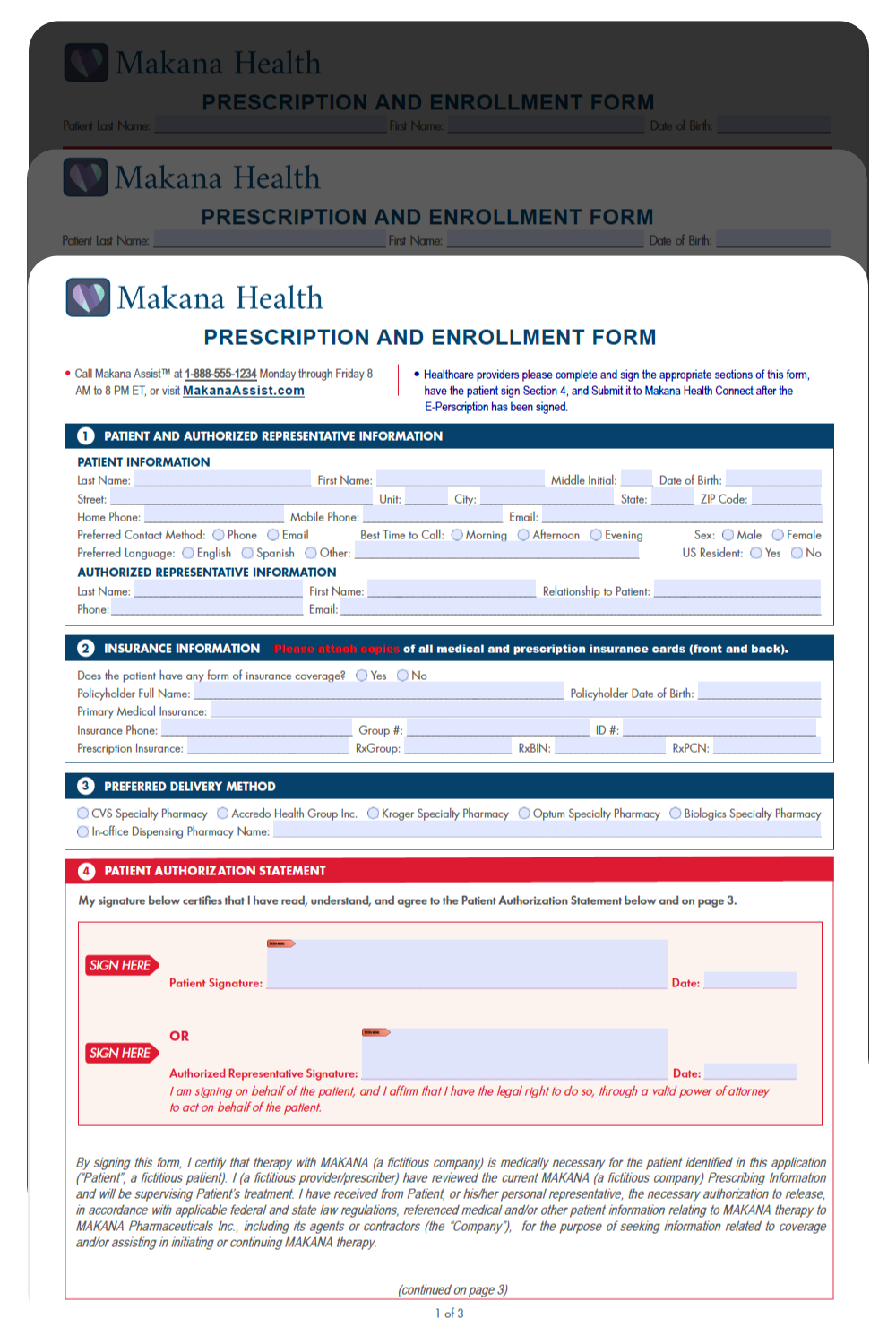
Blank enrollment form
Med Staff
Step 1
Med Staff Fills
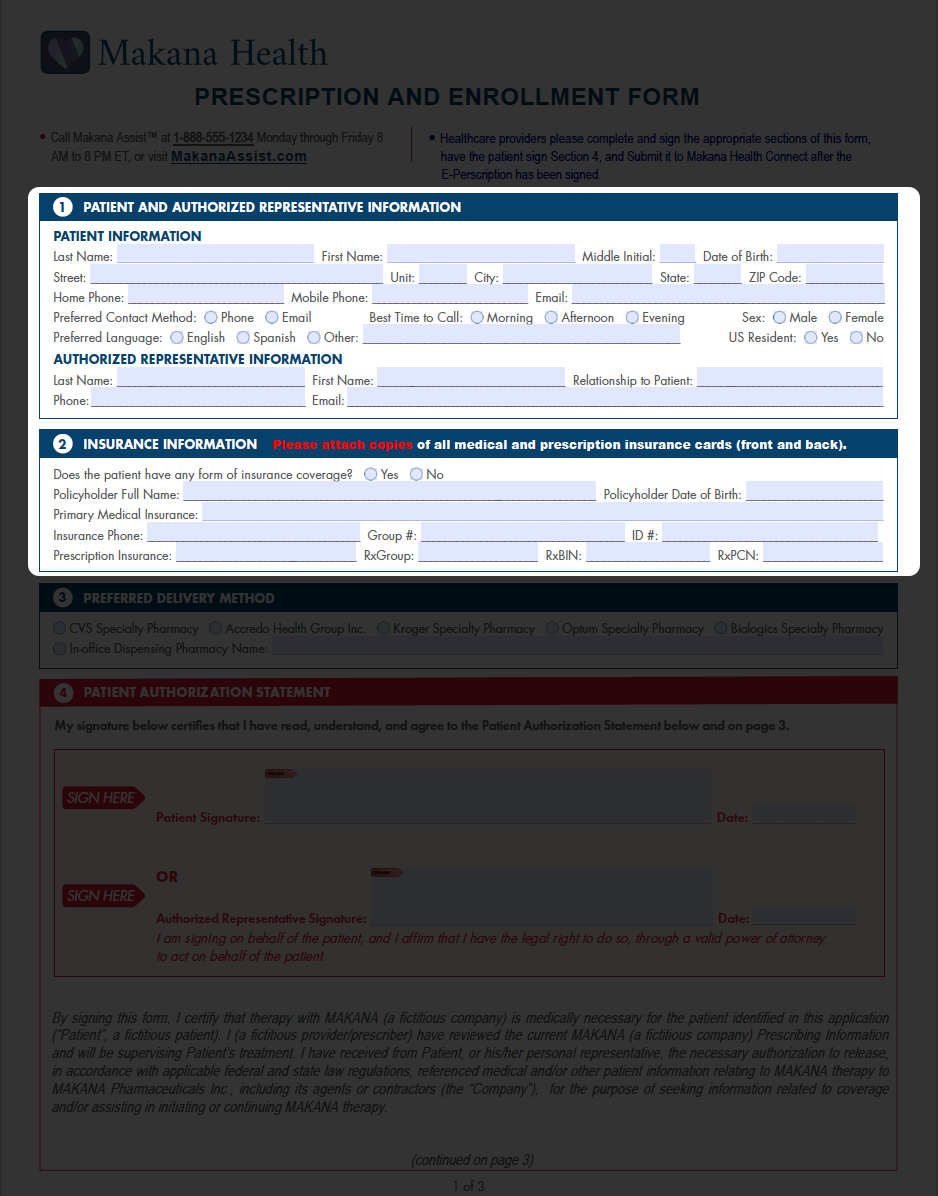
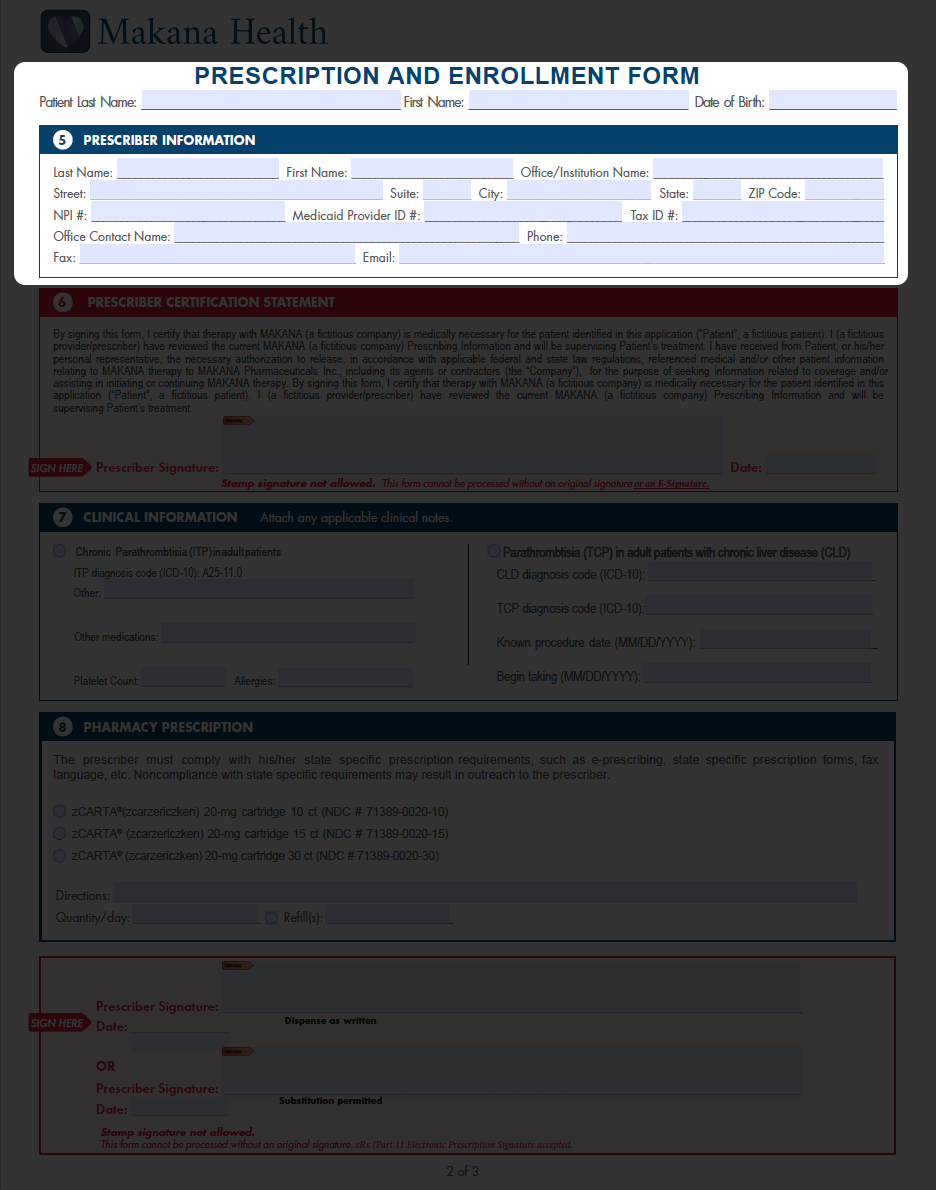
Patient & insurance info (page 1), then prescriber info (page 2)
Page 1 of 3 Page 2 of 3 Med staff fills patient and insurance info on page 1 Med staff fills prescriber info on page 2
Patient
Step 2
Patient Fills
Reviews and signs the authorization
Patient signature section highlighted
Prescriber
Step 3
Prescriber Reviews & Attaches eRx
Reviews, attaches a valid ePrescription & submits the complete enrollment
Prescriber sections highlighted on page 2
StartStep 1 — Med StaffStep 2 — PatientStep 3 — Prescriber
⌂ Home
Enrollment Initiation
A URL Is All It Takes to Get Started
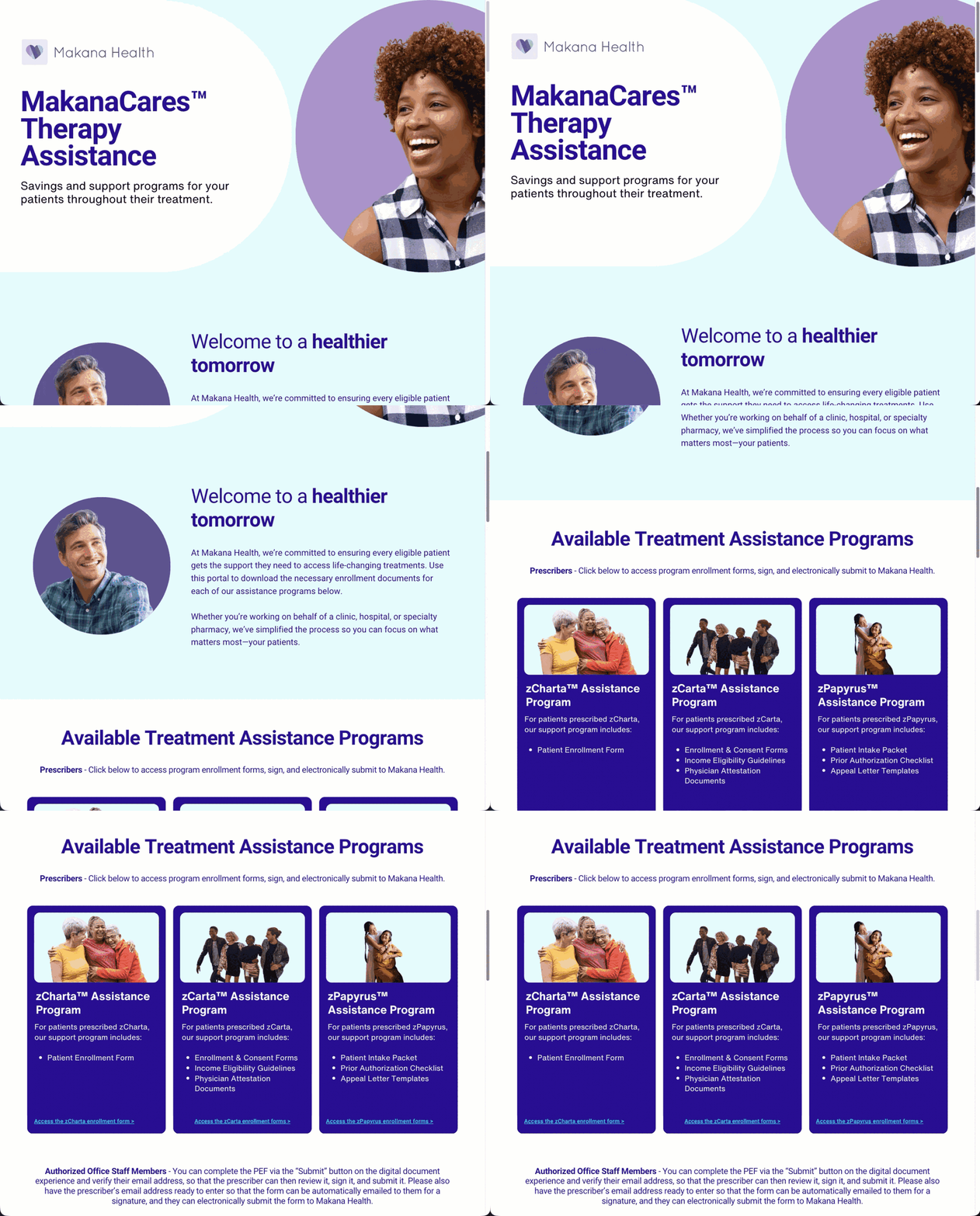
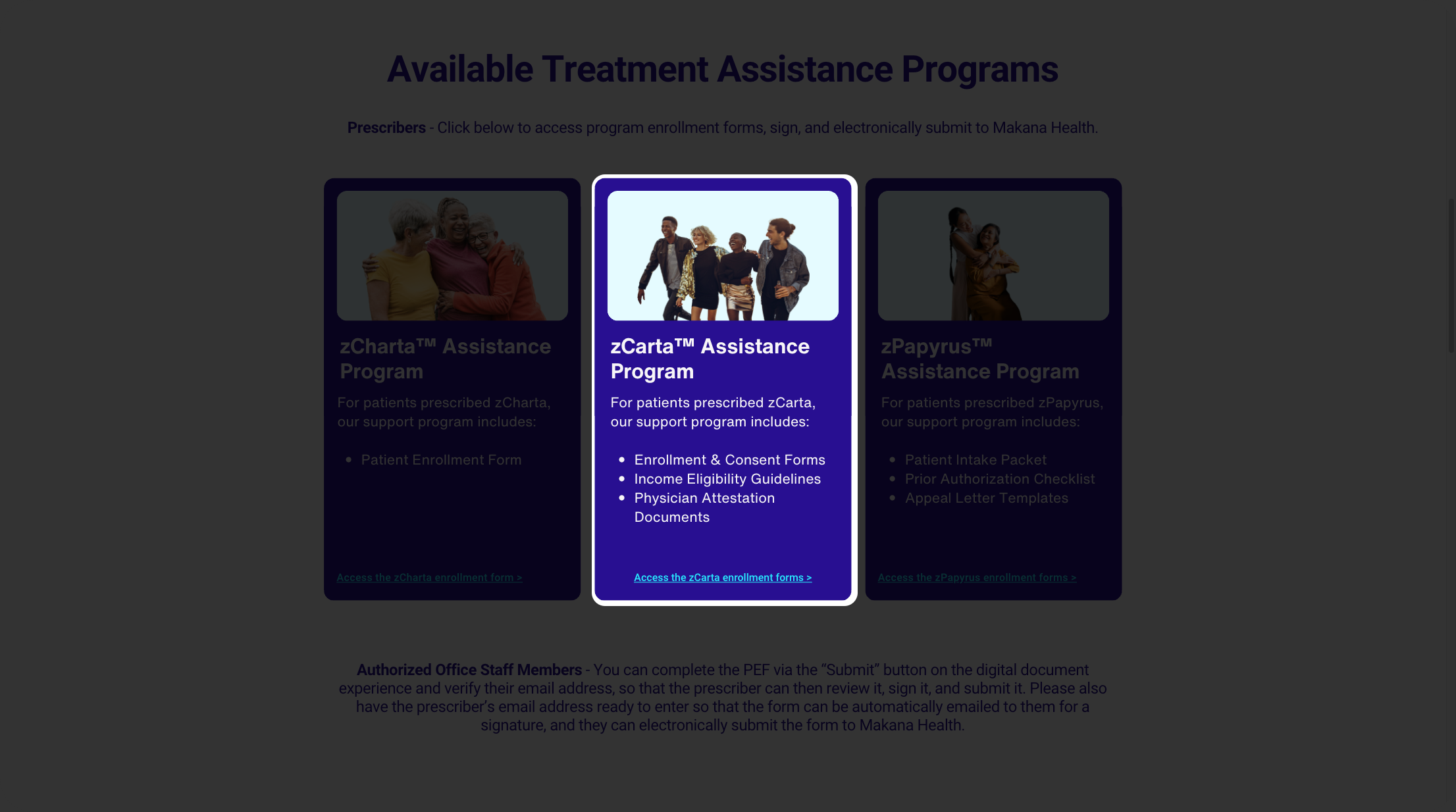
This is a typical patient support program website. The prescriber's office clicks "Access the enrollment form" and opens a digital version of the manufacturer's approved enrollment form. FastPass simply appends a URL to any existing form, making it available for direct access on a site, portal, or shared link. No IT integration required.
Live Reference: sprkzmakana.my.canva.site
sprkzmakana.my.canva.site
Makana Health landing page scrolling to zCarta enrollment formzCarta enrollment card highlighted
⌂ Home
Med Staff
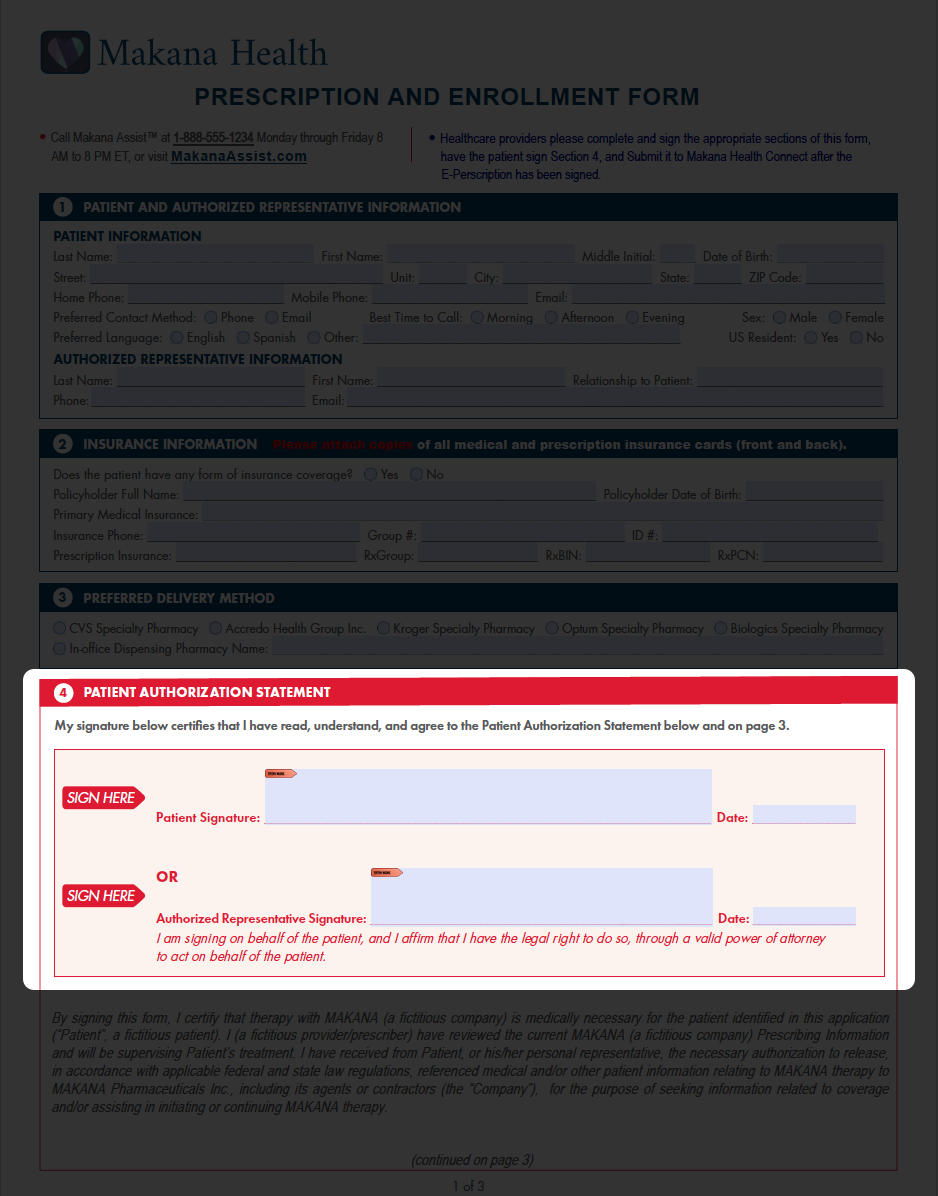
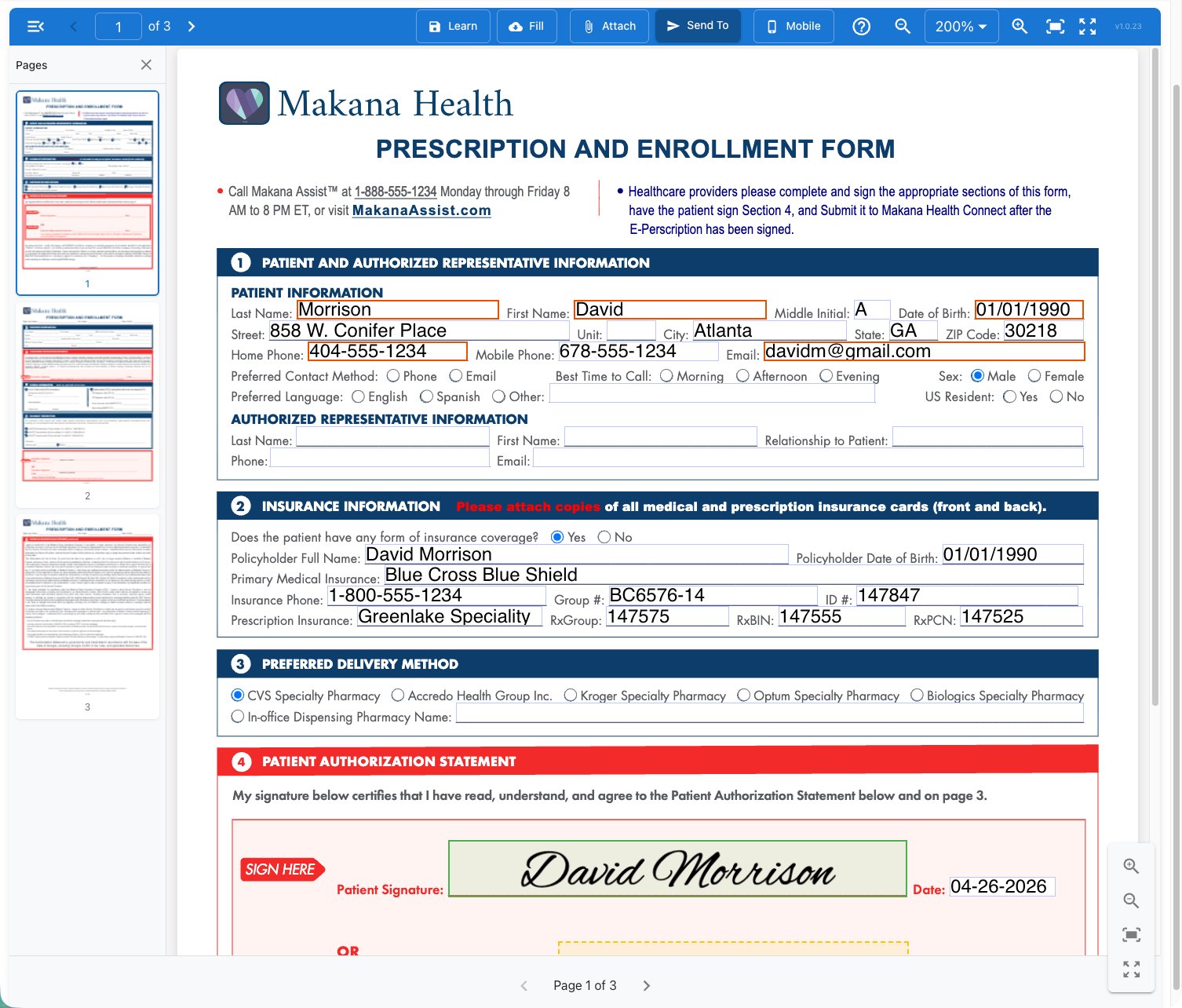
Patient Information on Page One
The medical staff enters what they know: patient name, date of birth, and contact information. Required fields are enforced by the system, so nothing gets missed.
Page 1 of the enrollment form with patient information fields completed
⌂ Home
Med Staff
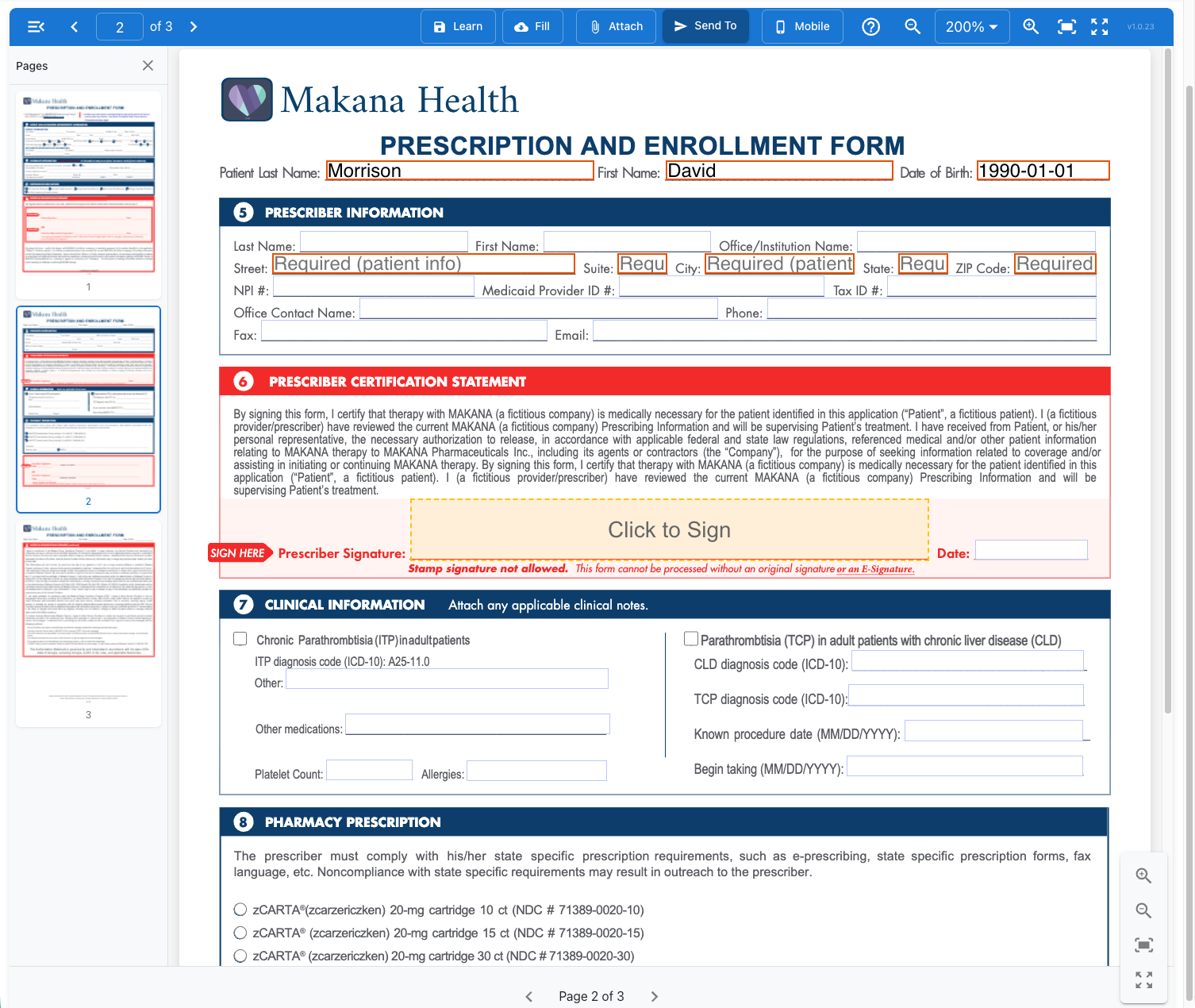
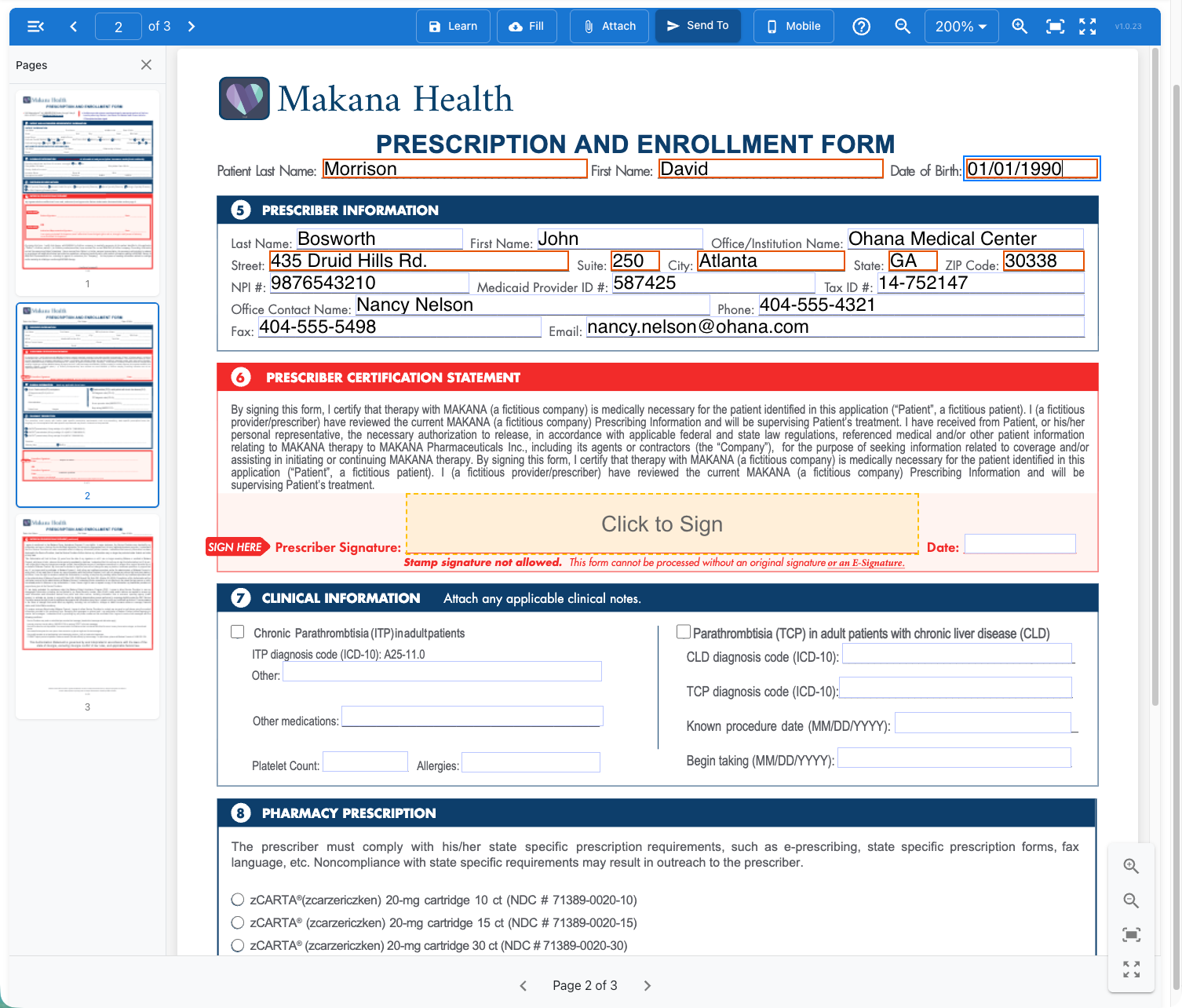
Learn Once, Fill Forever
The medical staff enters the prescriber's information once and selects "Learn." The information is stored locally in the browser. Next enrollment, just click "Fill." No cloud storage. Reduced data exposure. Just speed and easy adoption.
Section 5 Prescriber Information emptySection 5 Prescriber Information filled
1Type the prescriber's details into Section 5
2Click Learn — saved locally on this device
3Stored on this device only — no cloud
4Next enrollment — click Fill for instant entry
⌂ Home
Med Staff
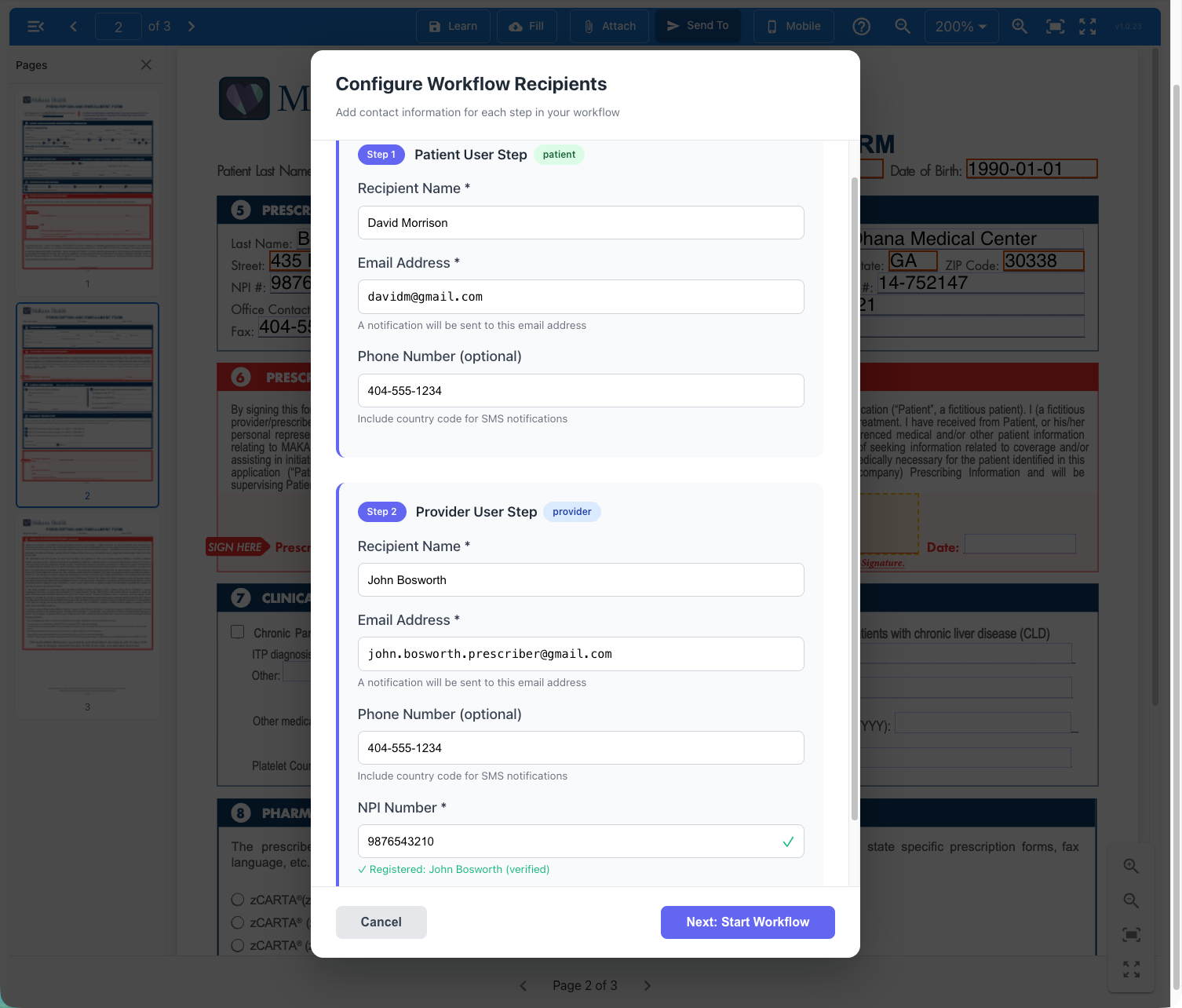
Kick Off the Workflow
The medical staff sends the form to the patient first, then the prescriber. The NPI is already verified in the system. Channels include email and SMS.
Configure Workflow Recipients dialog showing Patient and Provider steps
⌂ Home
Med Staff
Two to Three Minutes. Done.
The medical staff's role is complete. The form is now in the patient's hands. No faxing. No missing information. No follow-up.
Med Staff
Patient
Prescriber
Hub
⌂ Home
Patient
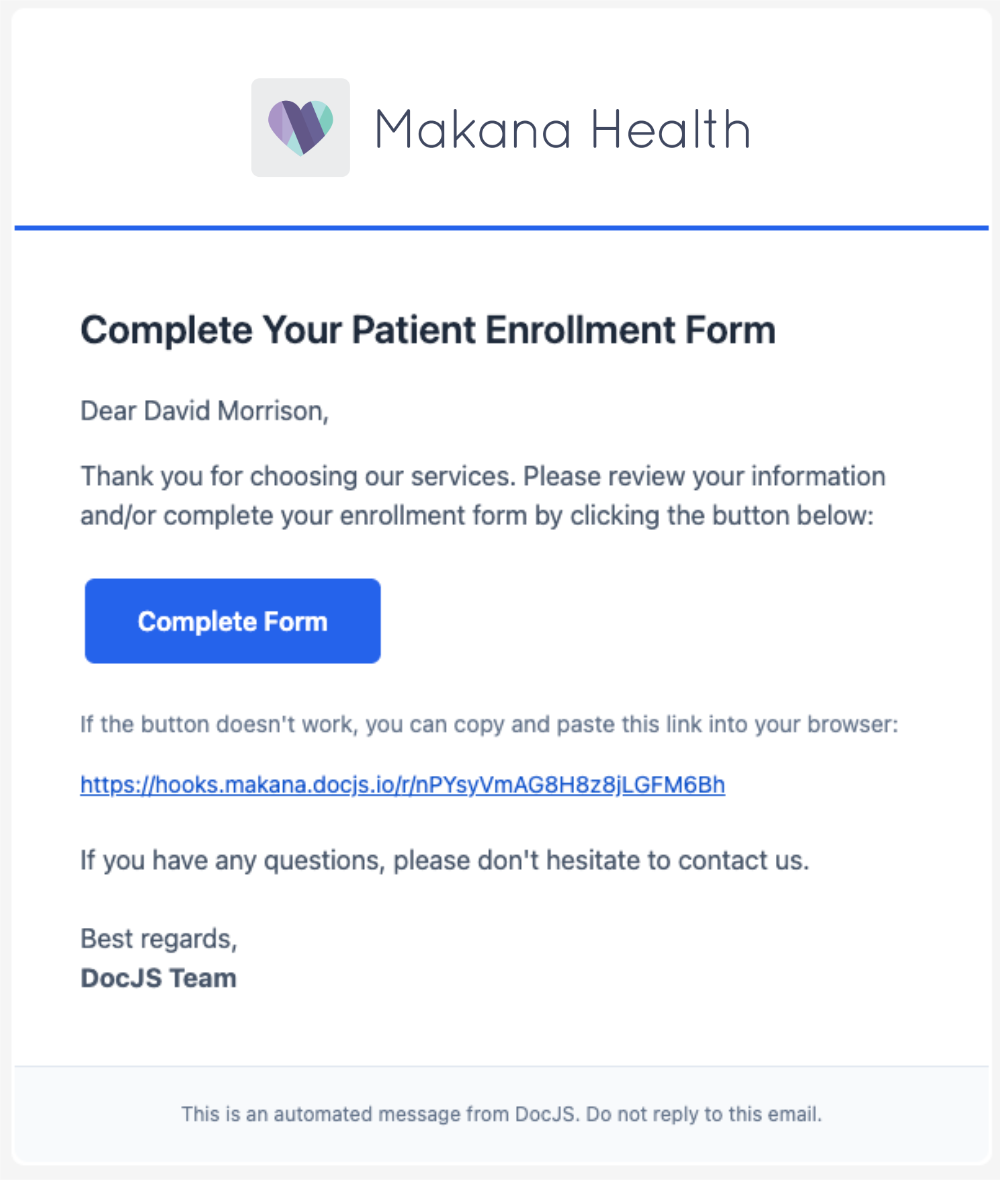
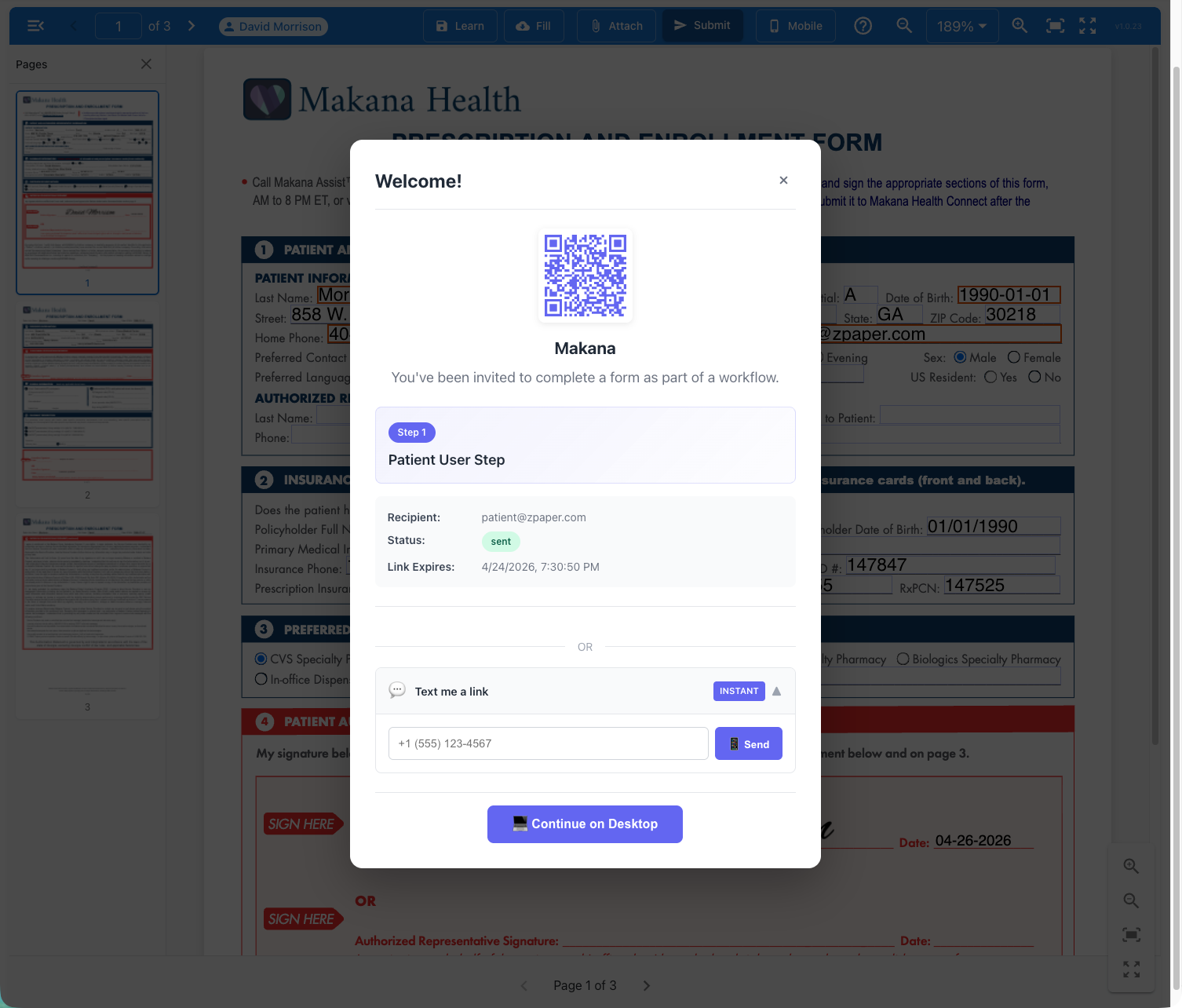
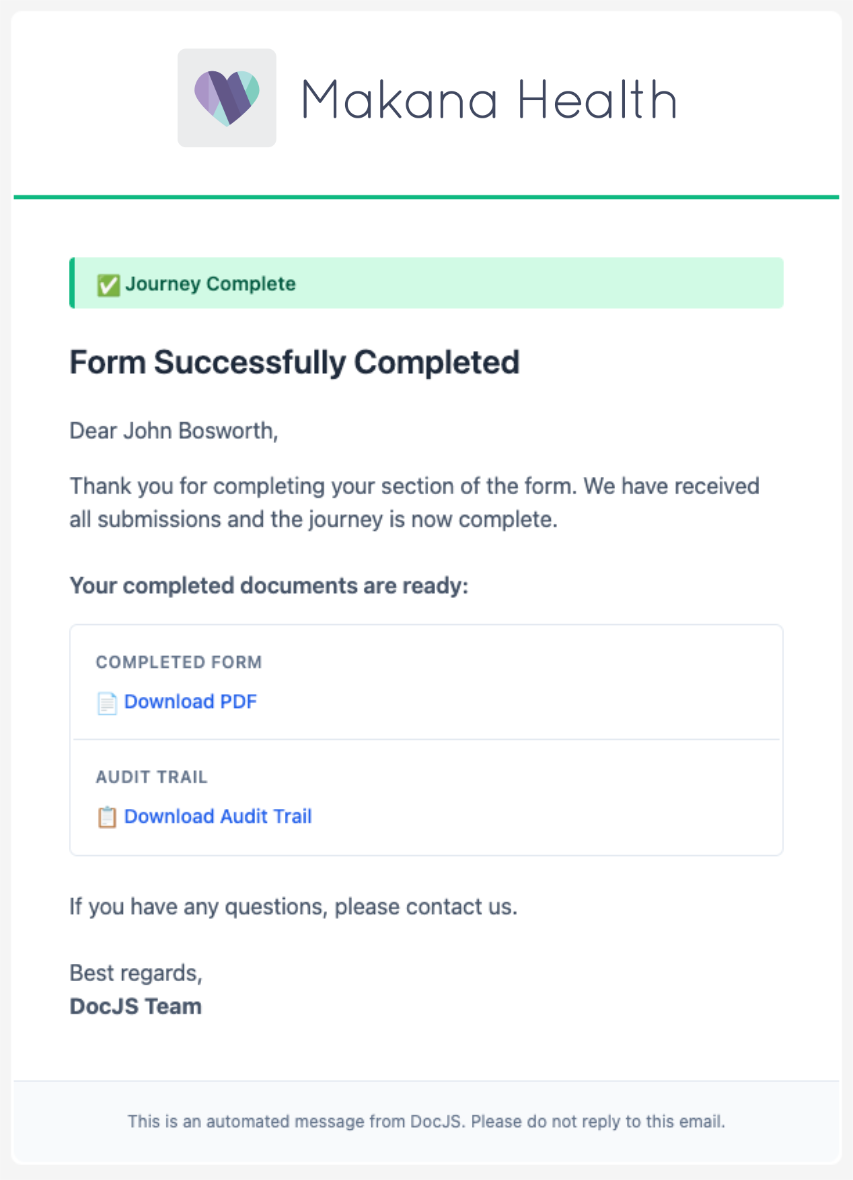
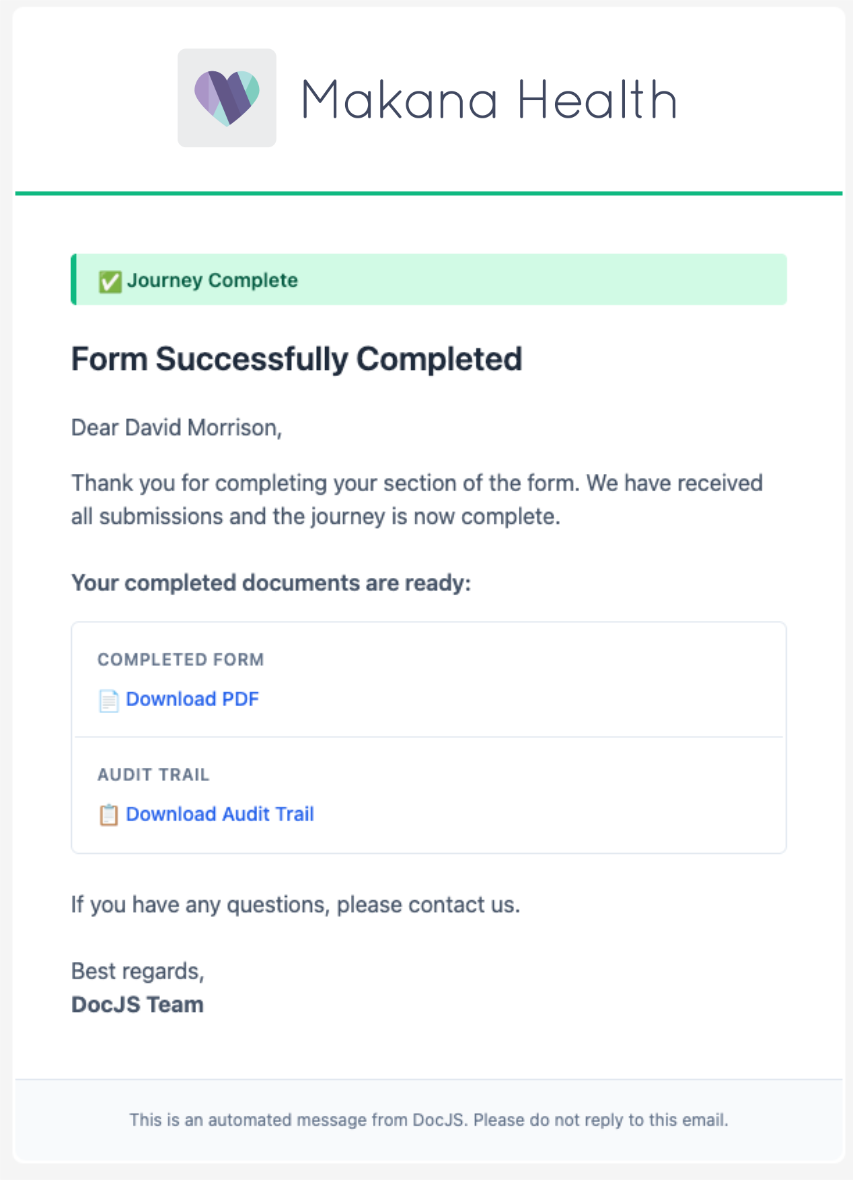
A Familiar Notification
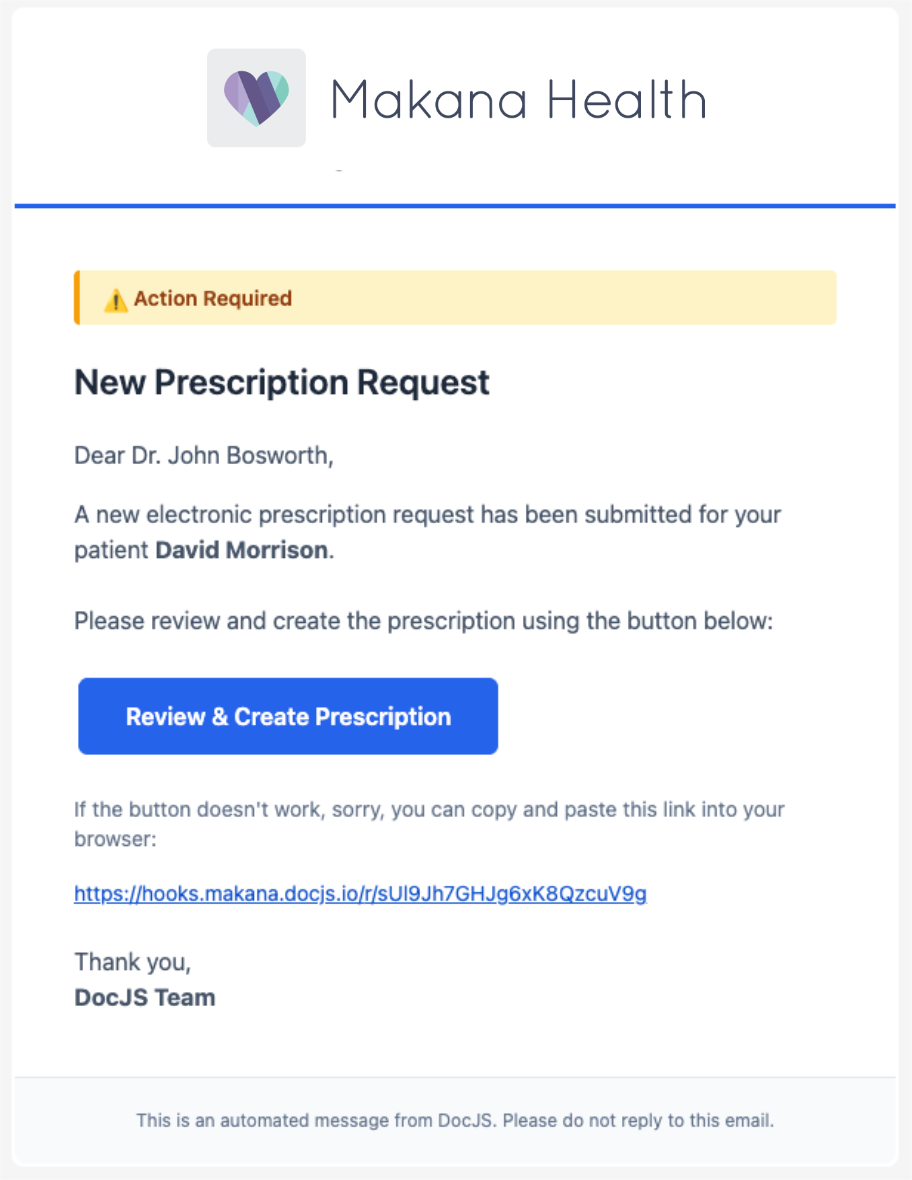
The patient receives an email or text message inviting them to complete their section of the enrollment form. Branding, messaging, and channels are fully customizable per manufacturer and program.
Branded Makana Health enrollment email to David Morrison
Email Notification
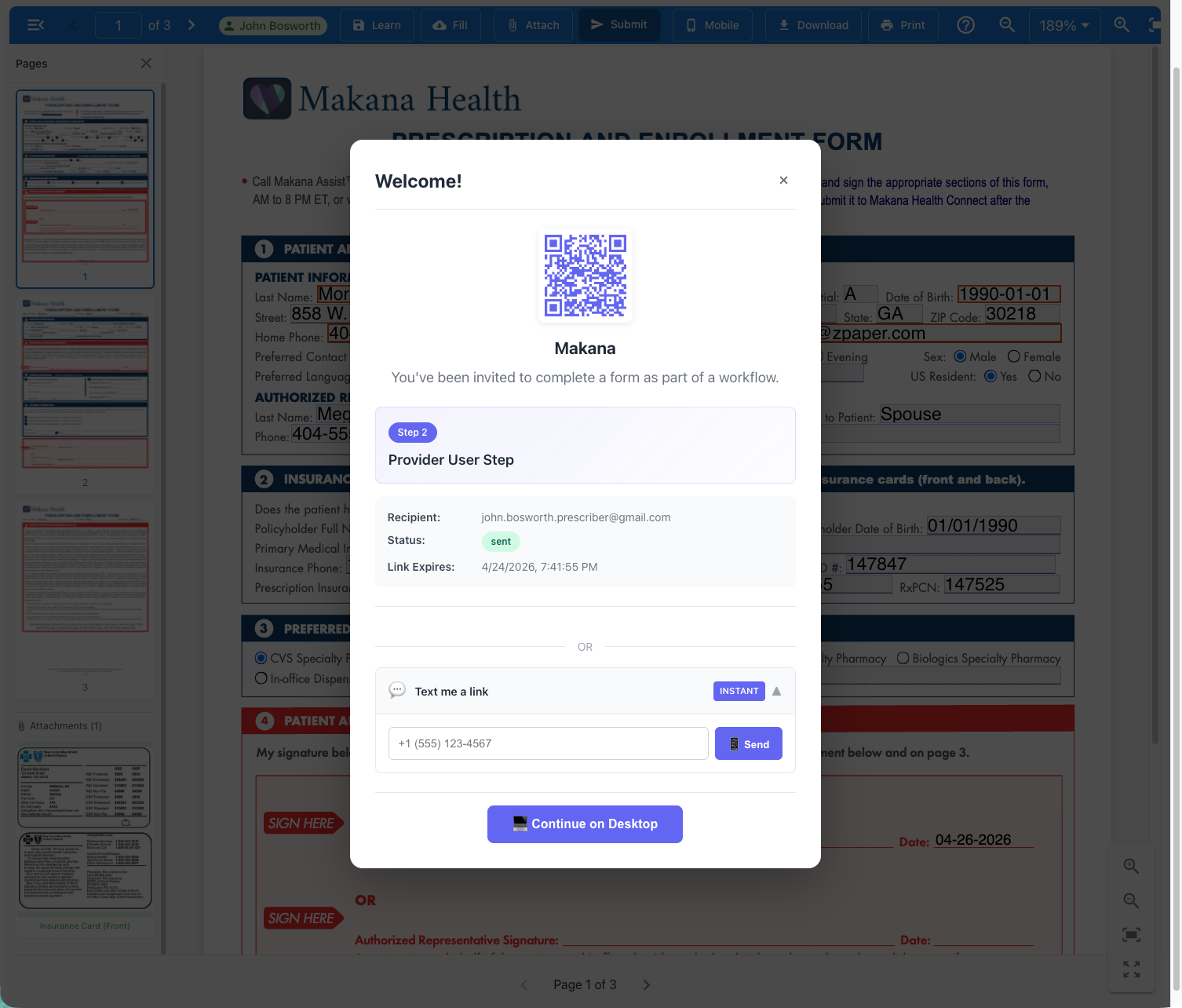
Welcome dialog showing QR code, SMS link, and Continue on Desktop options
Access via Any Channel
⌂ Home
Patient
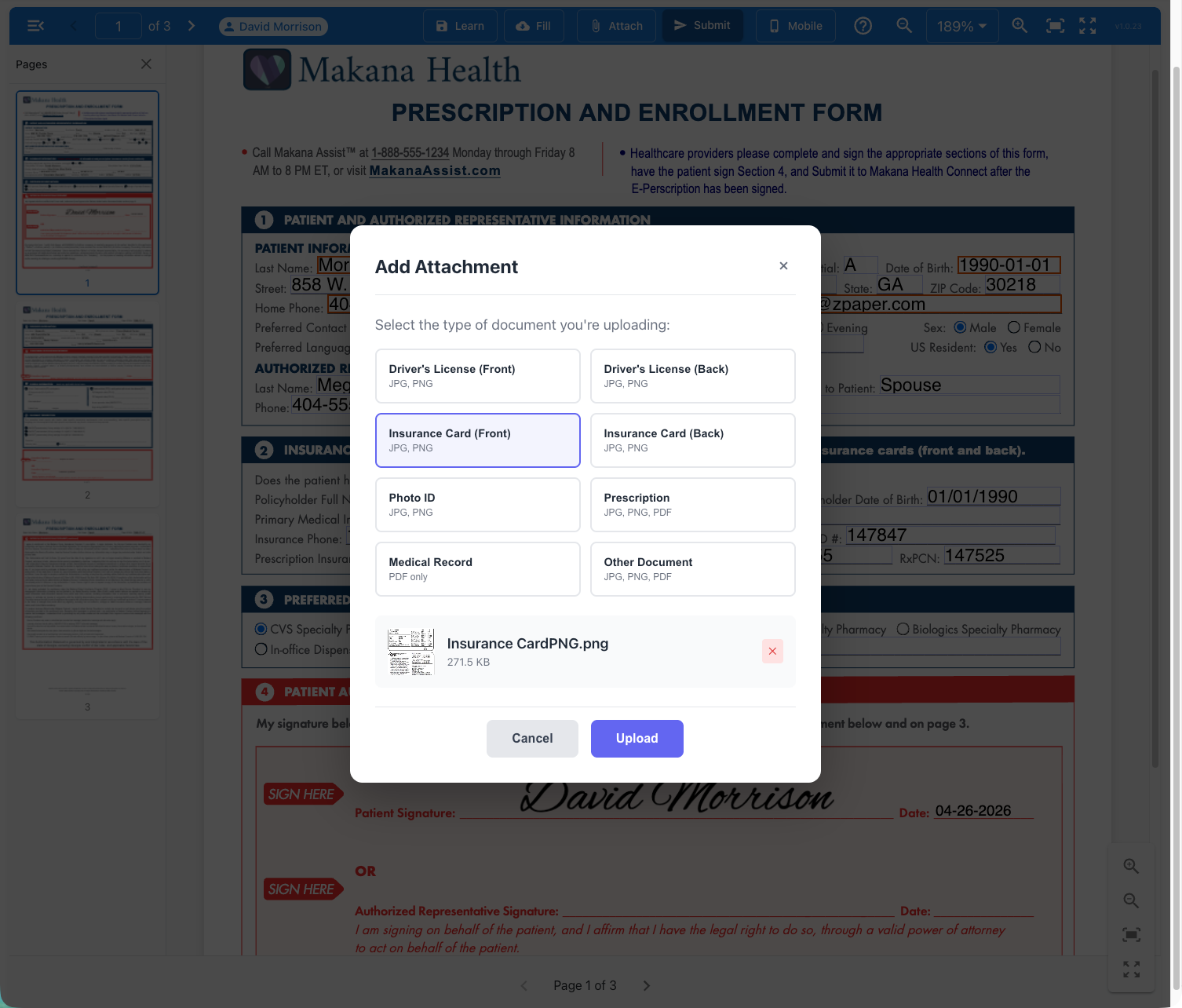
Complete, Attach, Continue
Patients enter their address and insurance details, then upload their insurance card directly into the form. Required fields and attachments are enforced by the system.
Add Attachment dialog with Insurance Card selected and signature visible
⌂ Home
Patient
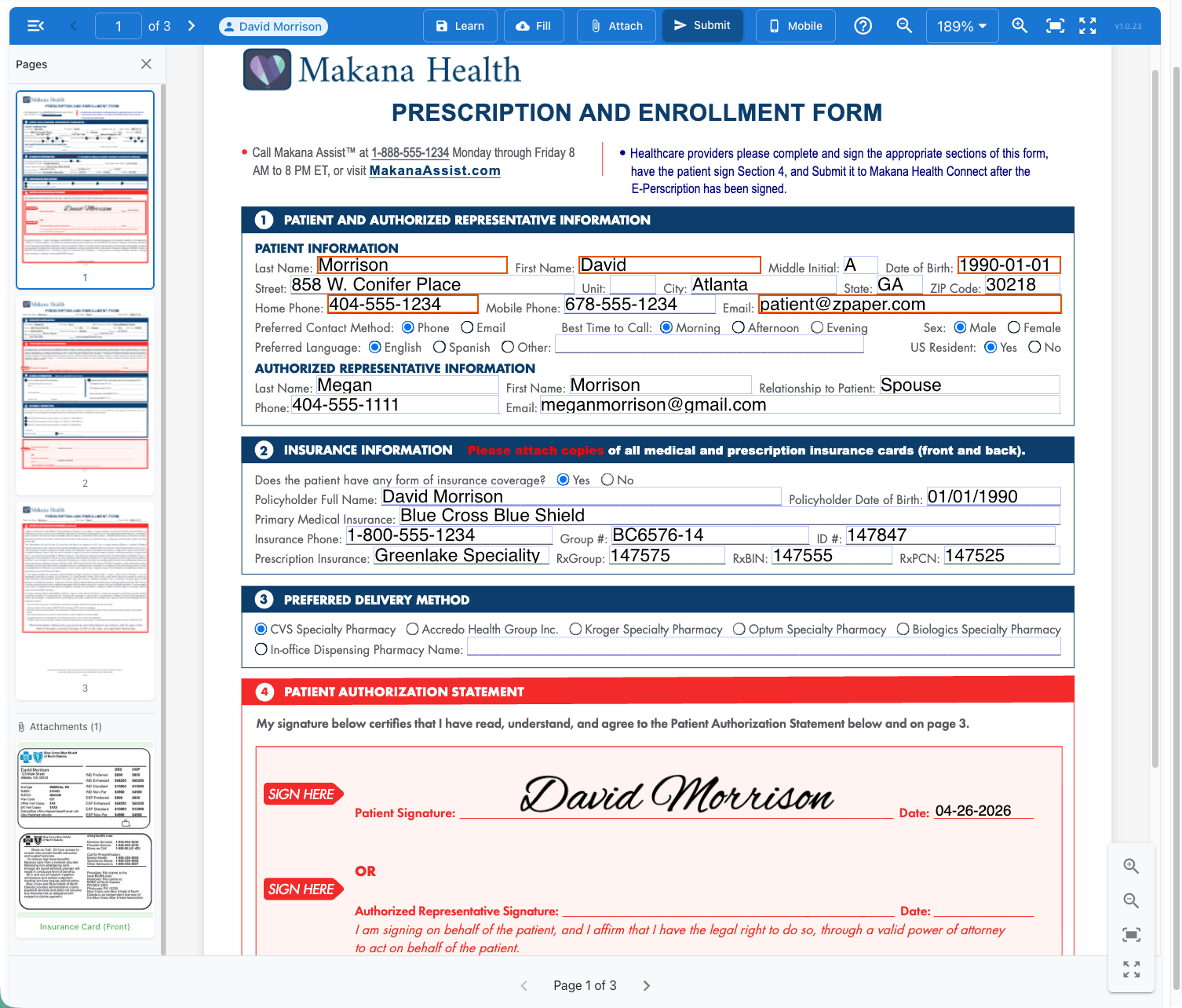
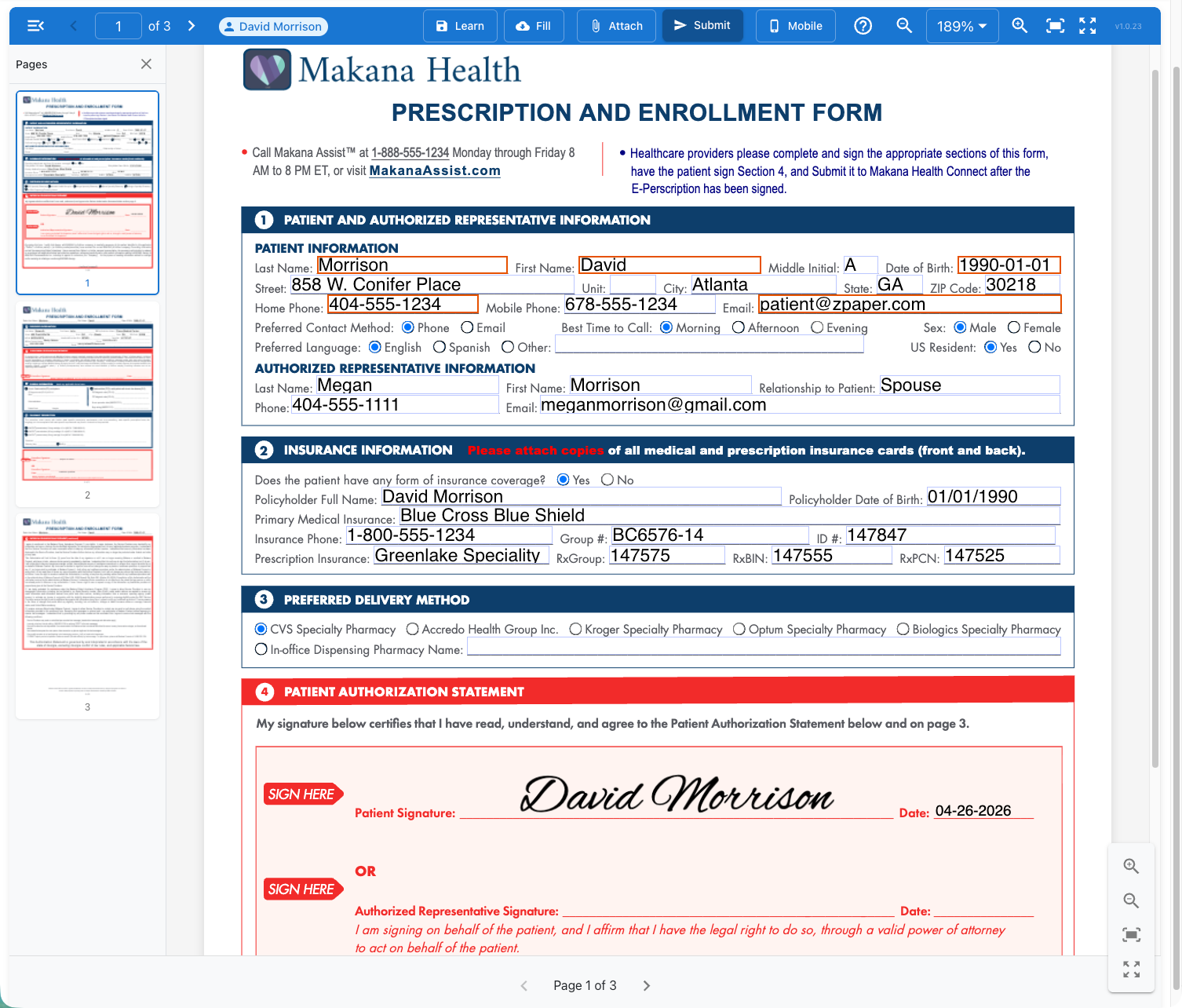
Consents Authorized and Documented
The patient reviews consent language and signs electronically. Date-stamped and audit-tracked. Using the consent authorization statements your legal team approves.
Completed enrollment form with insurance card attached and David Morrison e-signature
⌂ Home
Patient
Under Five Minutes. Fully Structured.
Every piece of information the patient provided is now structured, legible data within the form. No OCR Needed. No guesswork.
Med Staff
Patient
Prescriber
Hub
⌂ Home
Prescriber
A Prescription Request, Not a Portal Login
The prescriber receives an email notification. They click through and land directly on the form. No separate portal. No new login.
Email to Dr. John Bosworth: New Prescription Request for David Morrison
⌂ Home
Prescriber
Authenticated Prescriber on a System of Record
The prescriber's identity and prescribing authority are verified before access to the e-prescribing system of record.
Authentication welcome dialog showing John Bosworth Provider User Step with QR code and link options
⌂ Home
Prescriber
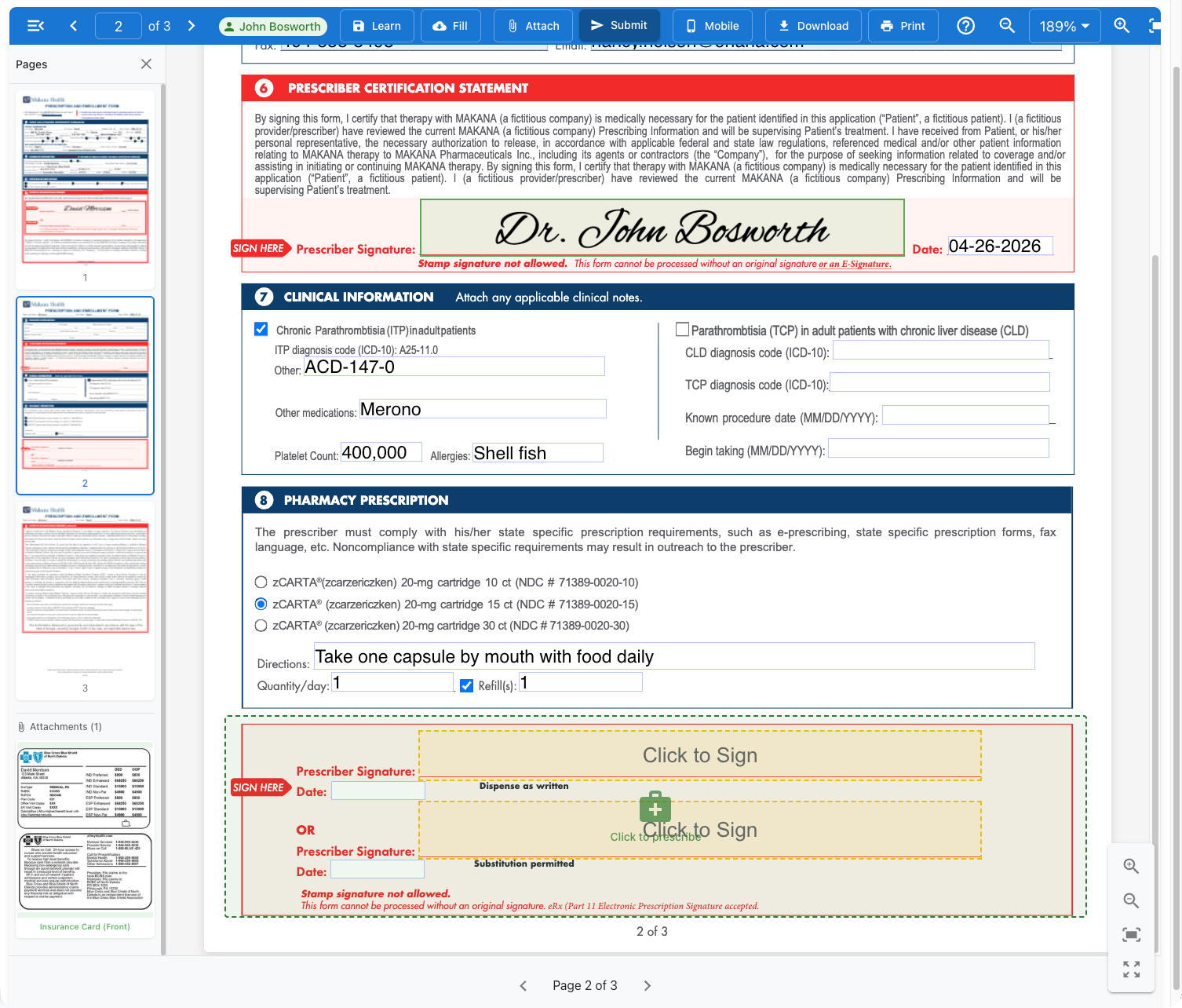
Same Form. Smarter Permissions.
The prescriber sees everything the patient filled out but cannot edit those fields. Field-level permissions are controlled without changing the legally approved template.
Prescriber view of the enrollment form with patient sections completed and locked
⌂ Home
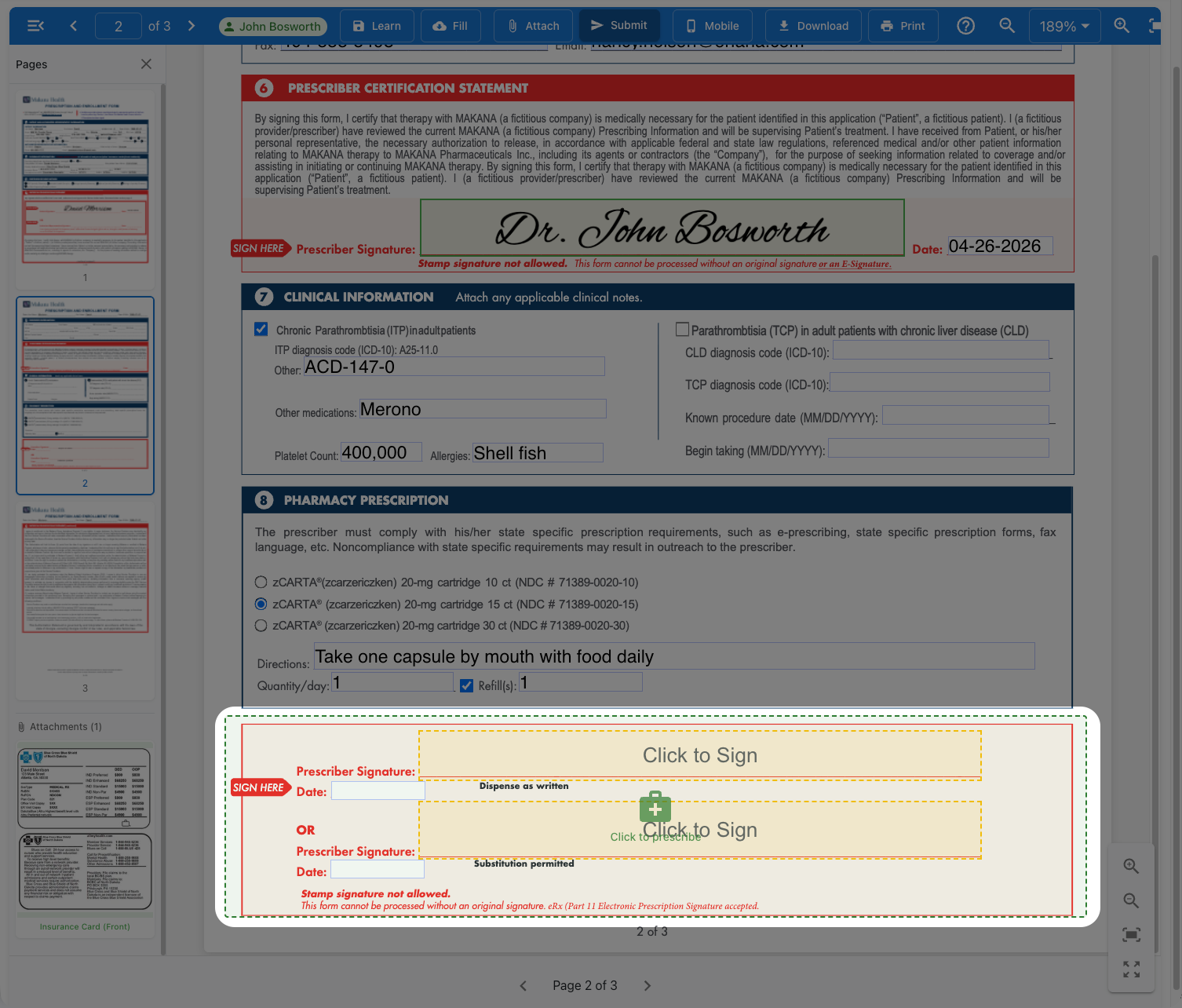
Prescriber
The Prescription. Inside the Form.
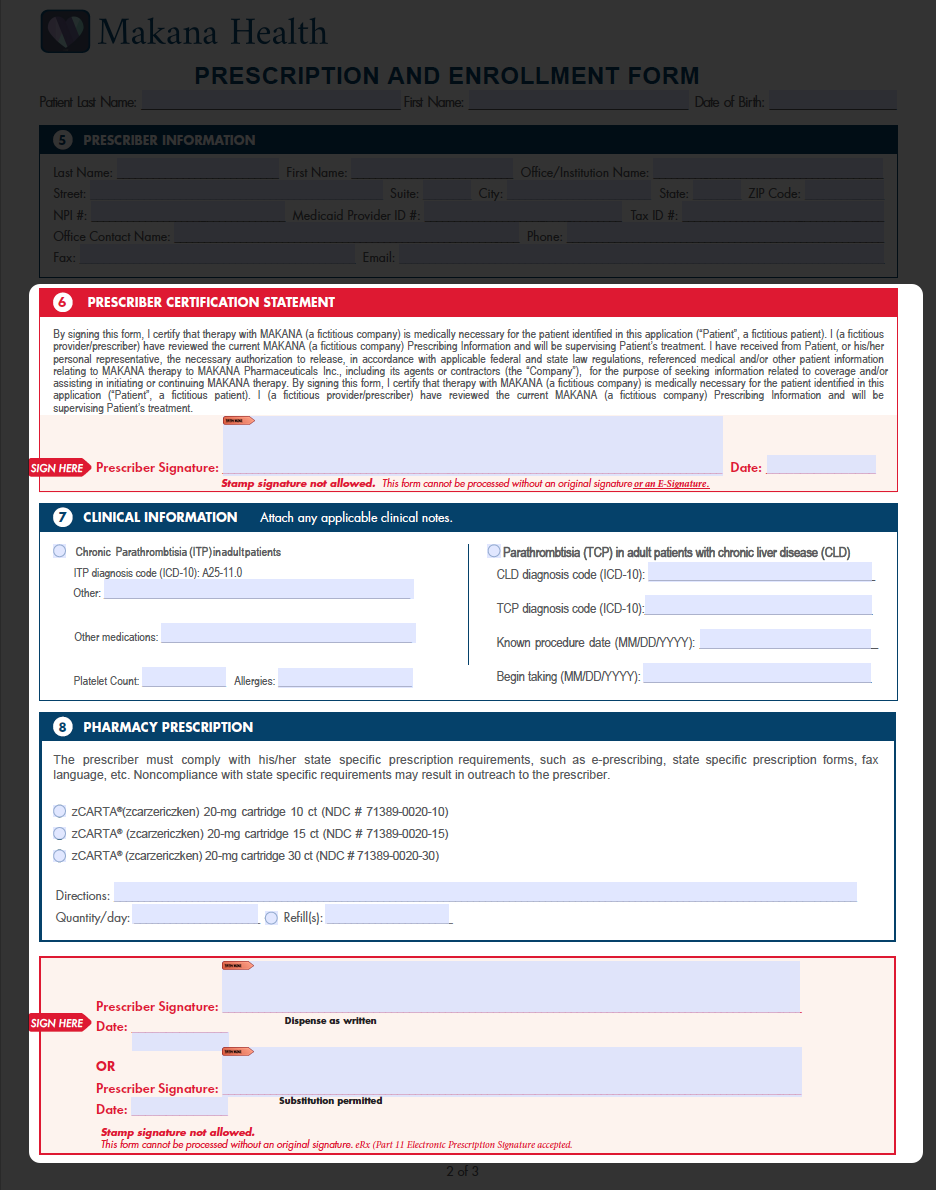
The prescription section now opens a certified ePrescribing experience directly within the form. The prescriber remains within workflow. The eRx runs in parallel, in the same session, on a familiar clinical workflow they would use in any certified prescribing platform.
Form page 2 standard viewForm page 2 with prescription section highlighted
⌂ Home
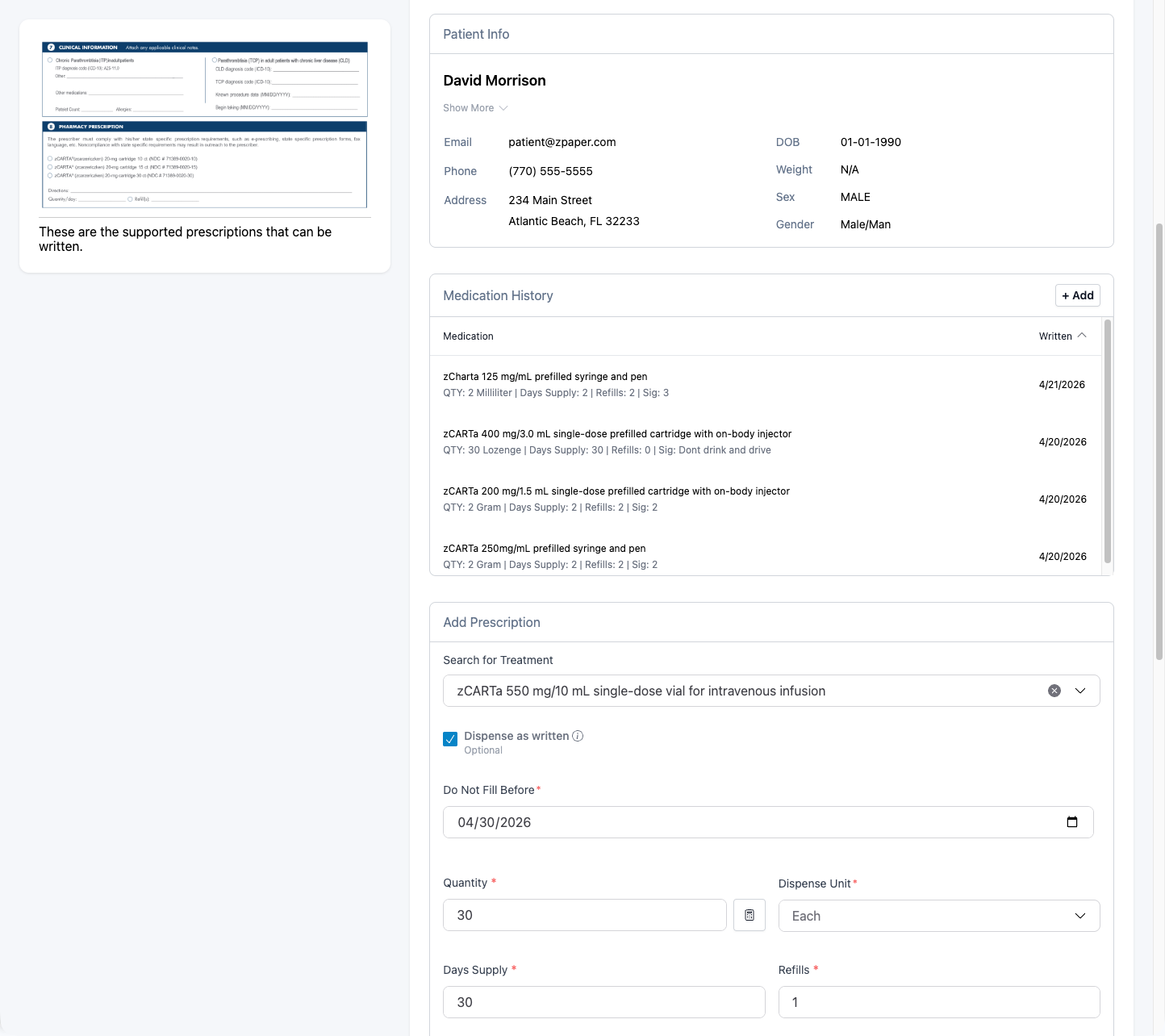
Prescriber
Patient Matched. History Loaded.
Patient information entered in the form is used within the ePrescribing workflow. Medication history may be available based on network response following patient identification. Drug interaction screening is performed within the ePrescribing platform.
ePrescribing window showing matched patient David Morrison with medication history and Add Prescription form
⌂ Home
Prescriber
Search. Select. Prescribe.
The prescriber searches for the medication, sets quantity and instructions, and adds it to the draft. Same clinical workflow they would use in a certified prescribing platform.
ePrescribing search and select interface with quantity, days supply and refills fields
⌂ Home
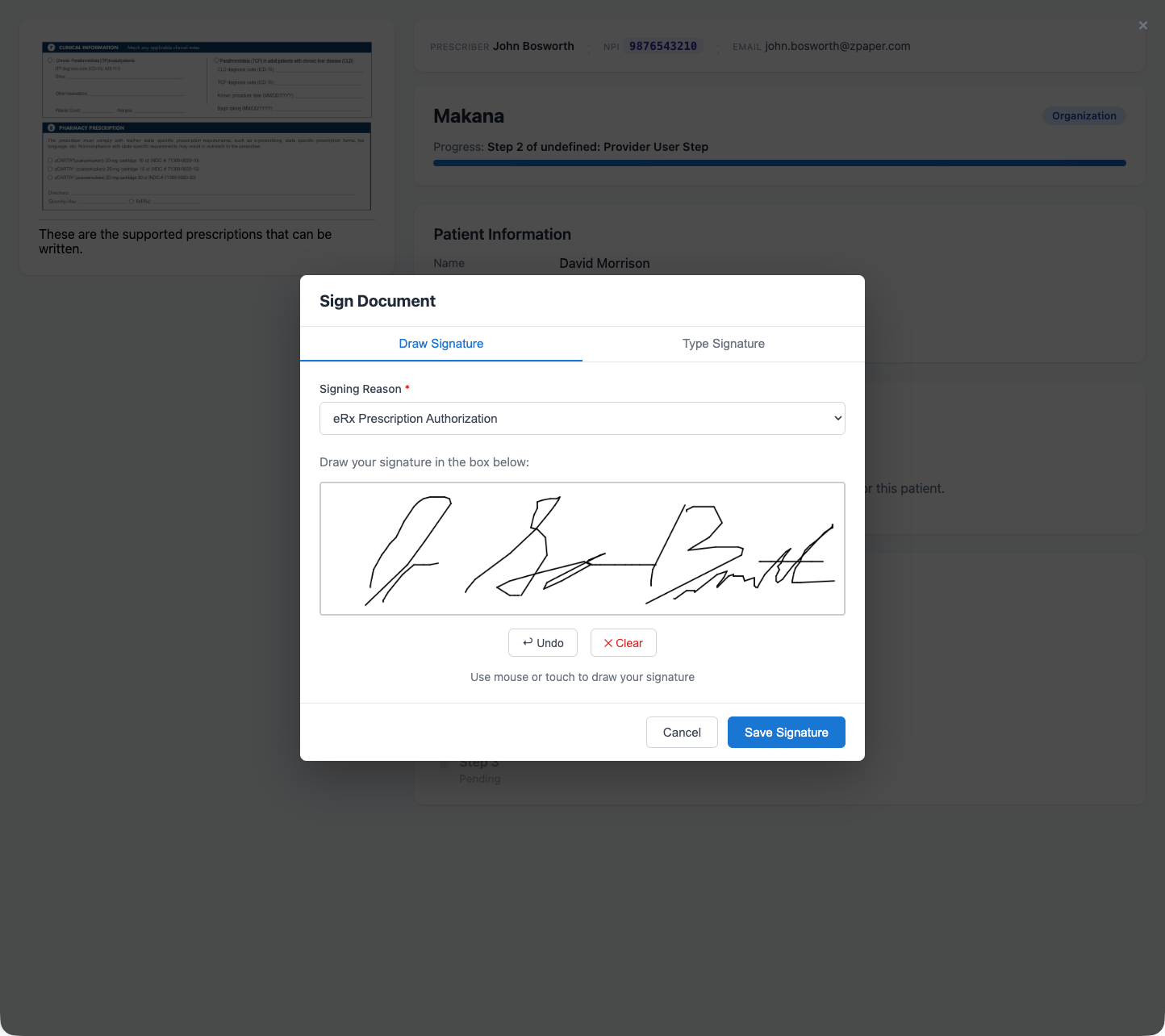
Prescriber
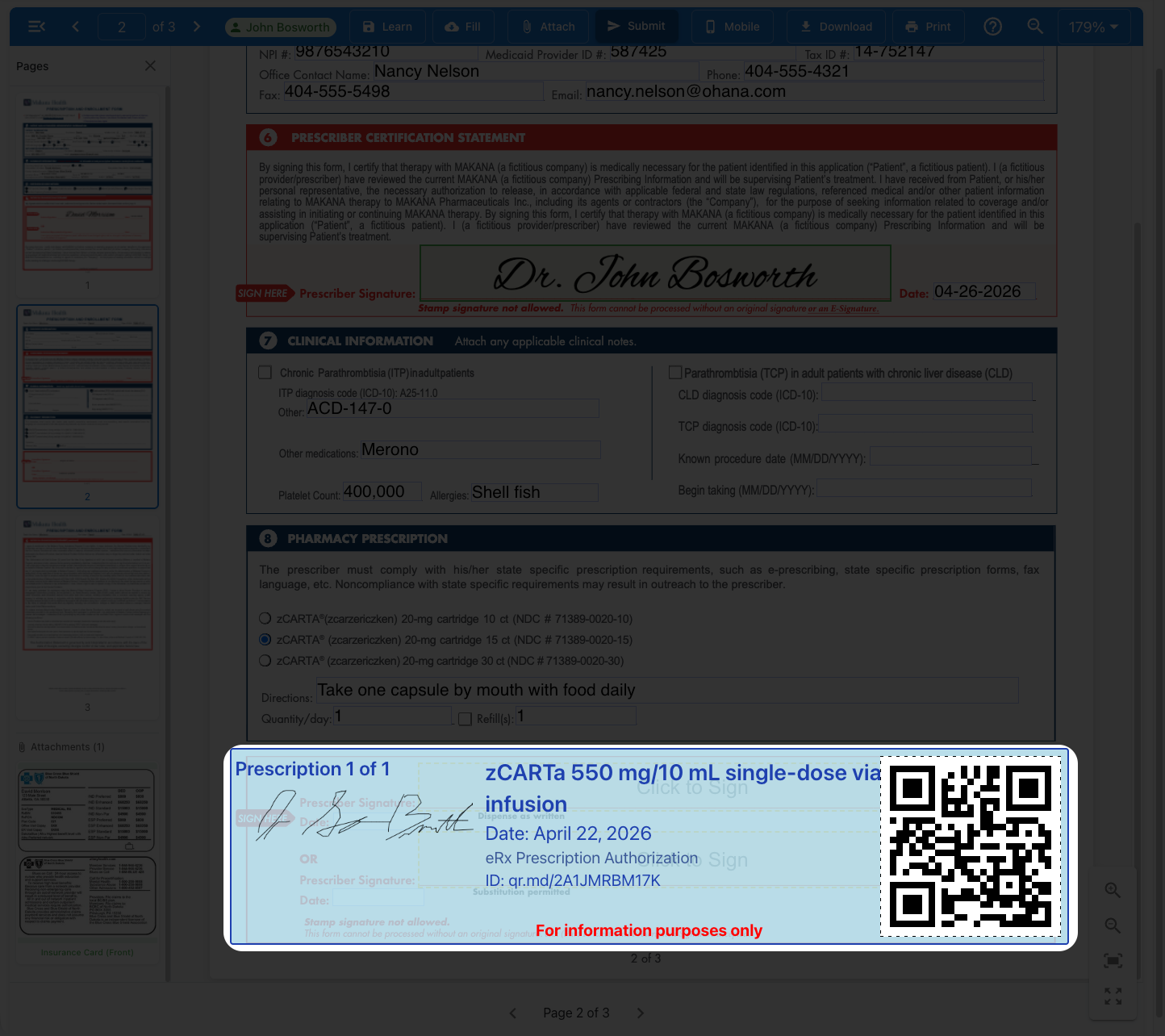
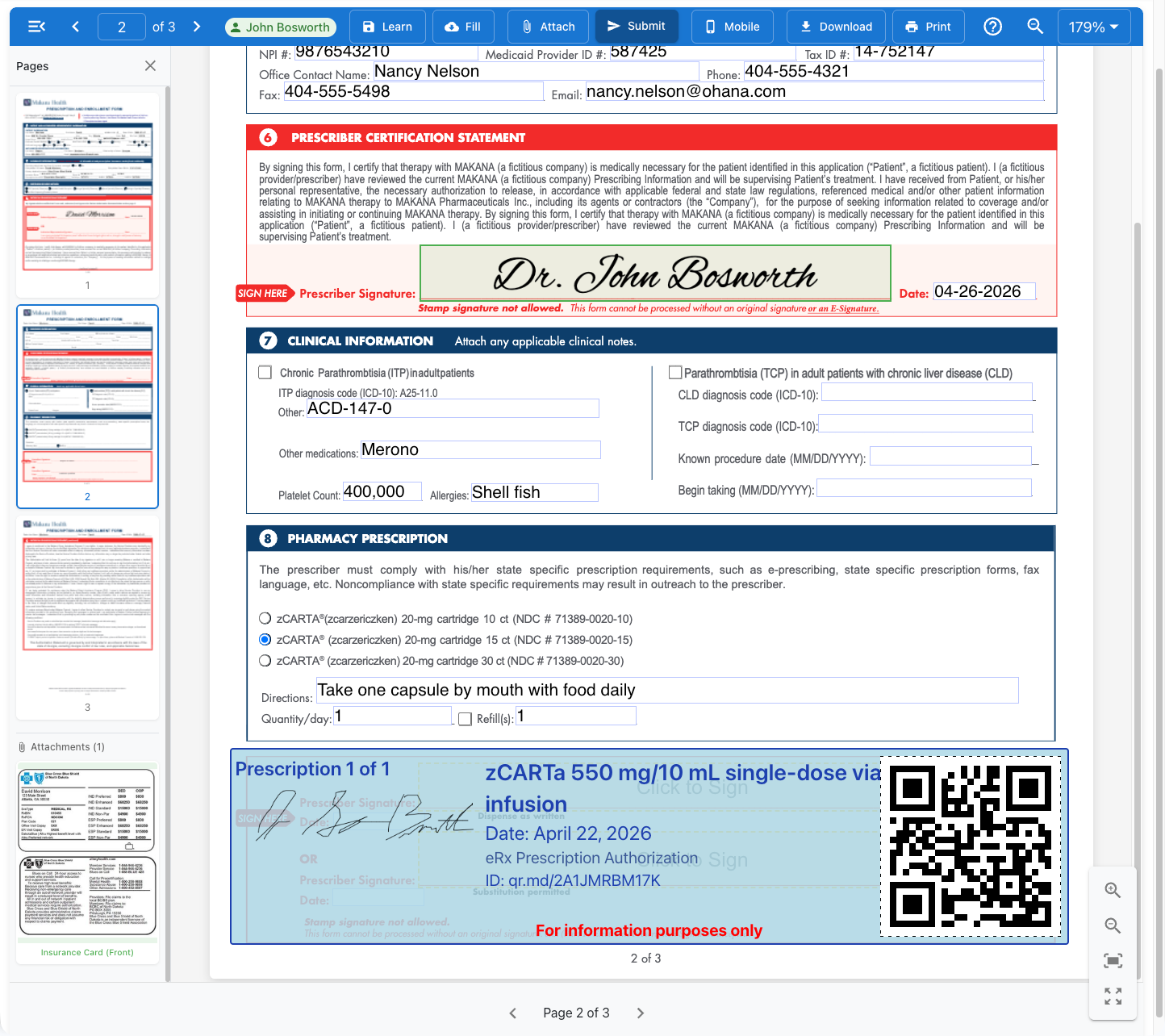
Signed, Sealed, Safeguarded
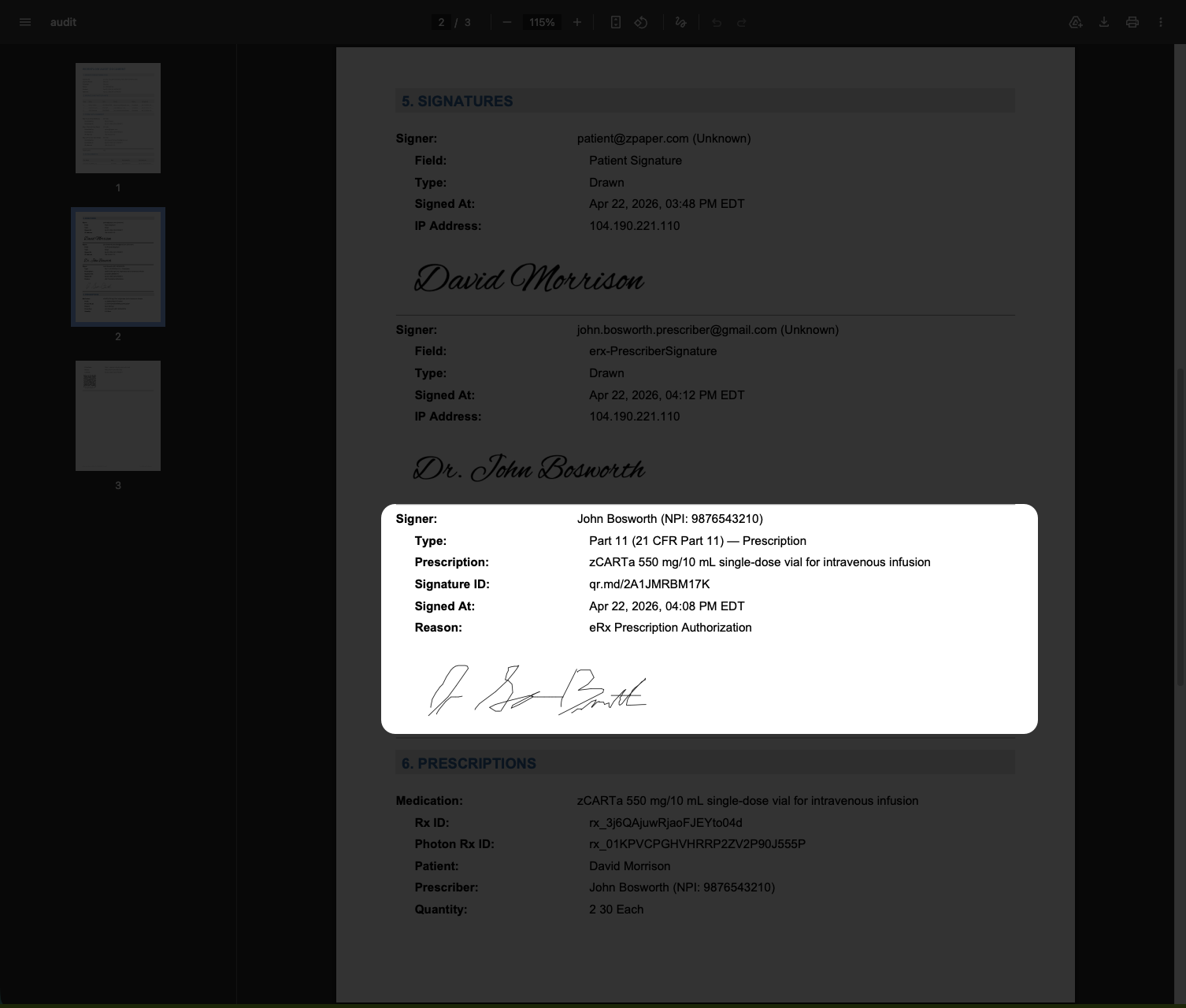
Electronic signature designed to meet Part 11 requirements. The digital seal helps prevent duplicate prescriptions and links to a full audit trail via QR code. Who signed what, when, and from which profile.
Sign Document dialog with eRx Prescription Authorization signing reason and drawn signature for John BosworthSigned prescription with QR code and digital seal for zCARTa 550 mg infusion
⌂ Home
Prescriber
Submit. The Access Journey Is Now Accelerated.
The enrollment form, insurance card, eRx summary, and full audit trail are submitted together as a single, coordinated package. The electronic prescription is routed to the designated intake pharmacy.
Med Staff
Patient
Prescriber
Hub
⌂ Home
After Submission
Everyone Gets a Confirmed Copy
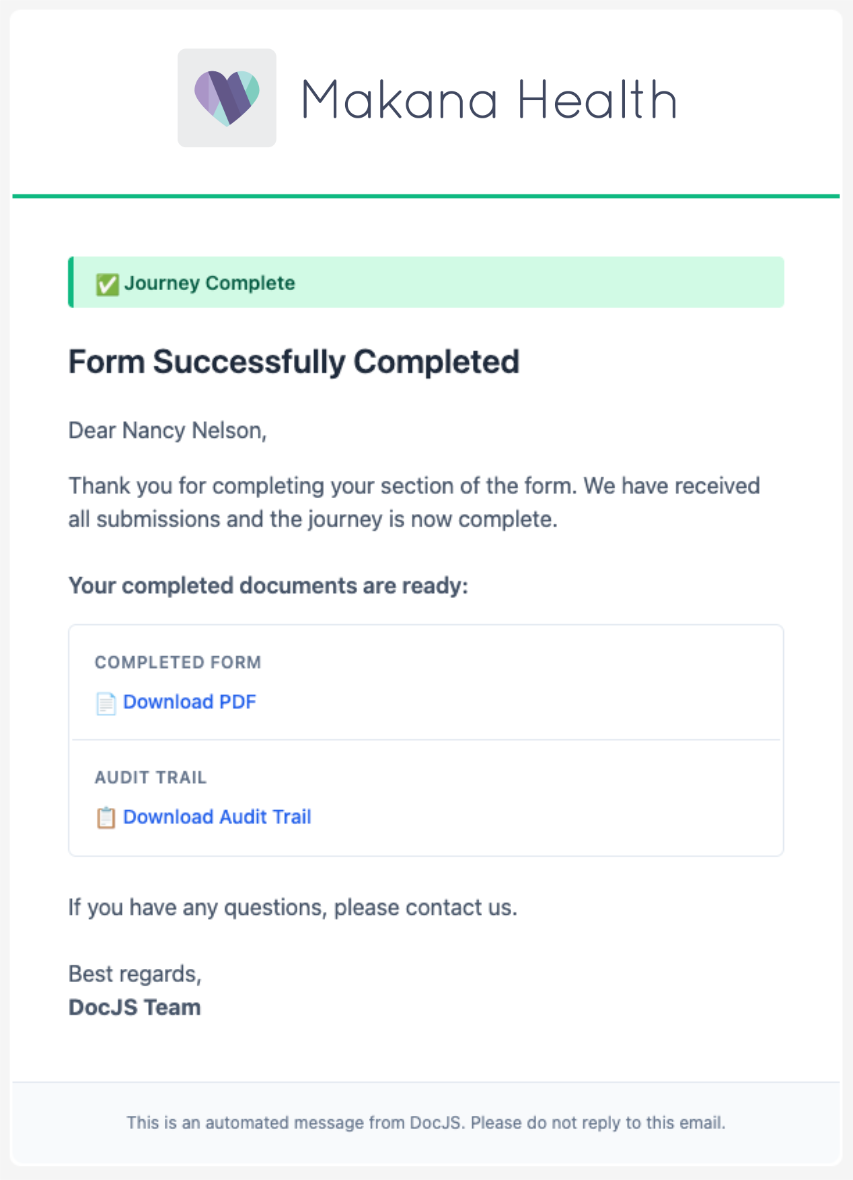
At submit, a completed copy of the submitted Patient Enrollment Form (PEF) can be delivered to key stakeholders, including the patient, medical staff, prescriber, and hub or designated intake pharmacy. This reduces uncertainty about what happened and whether the form was submitted. Every party in the workflow has a record of what was submitted, when it was submitted, and by whom.
Dr. John Bosworth
Dr. John Bosworth
Prescriber
David Morrison
David Morrison
Patient
Nancy Nelson
Nancy Nelson
Med Staff
⌂ Home
After Submission
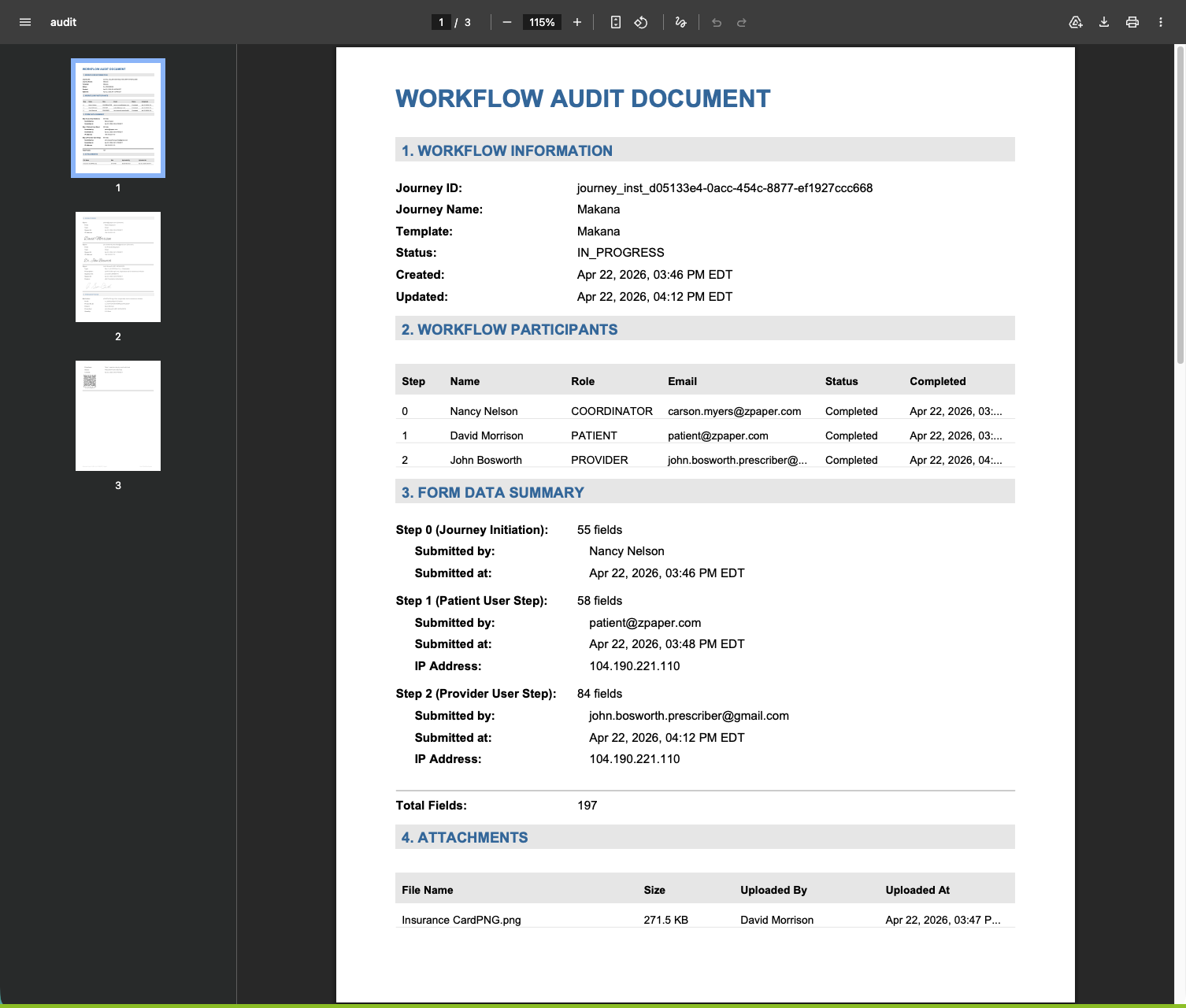
The Complete Journey at a Glance
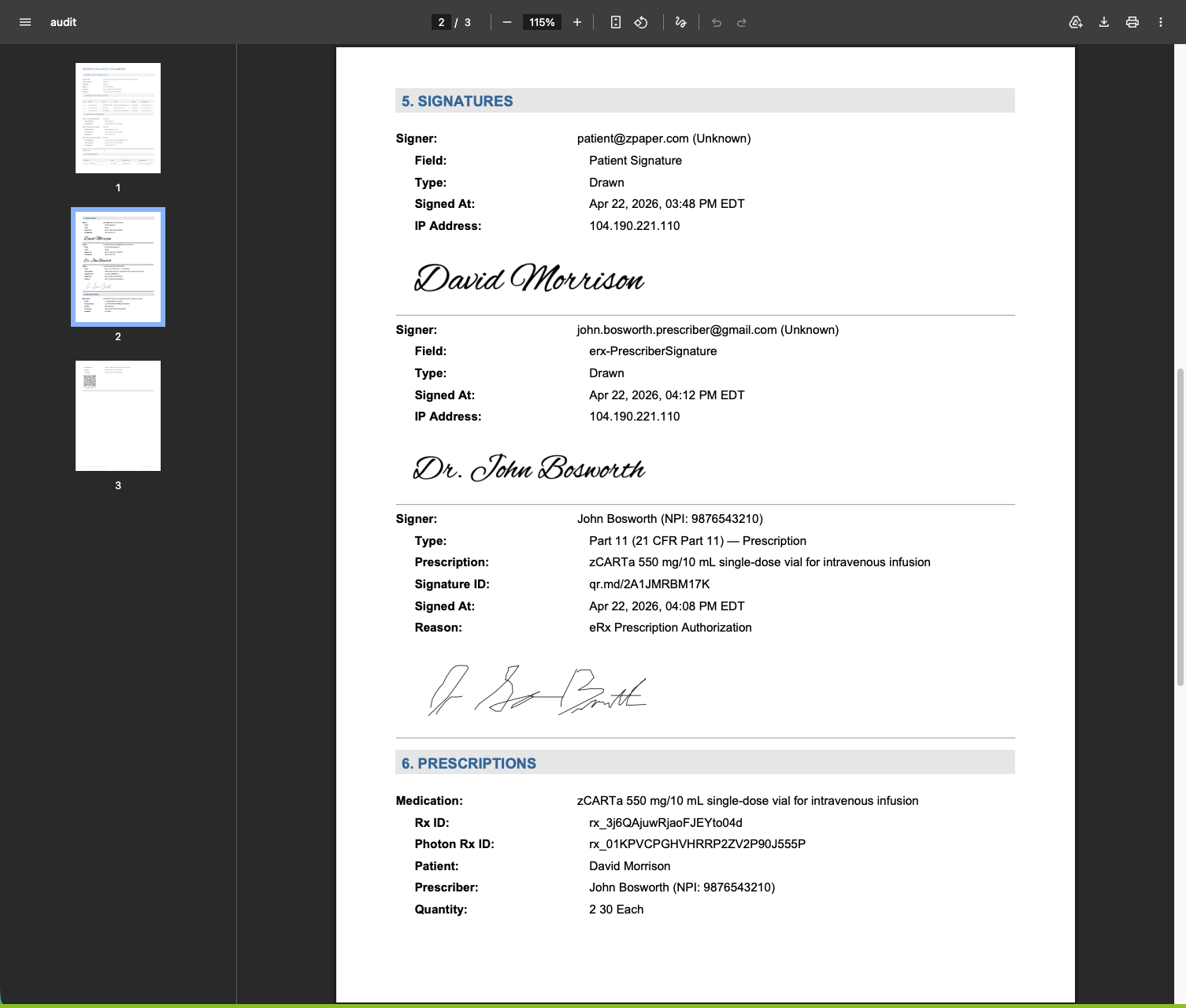
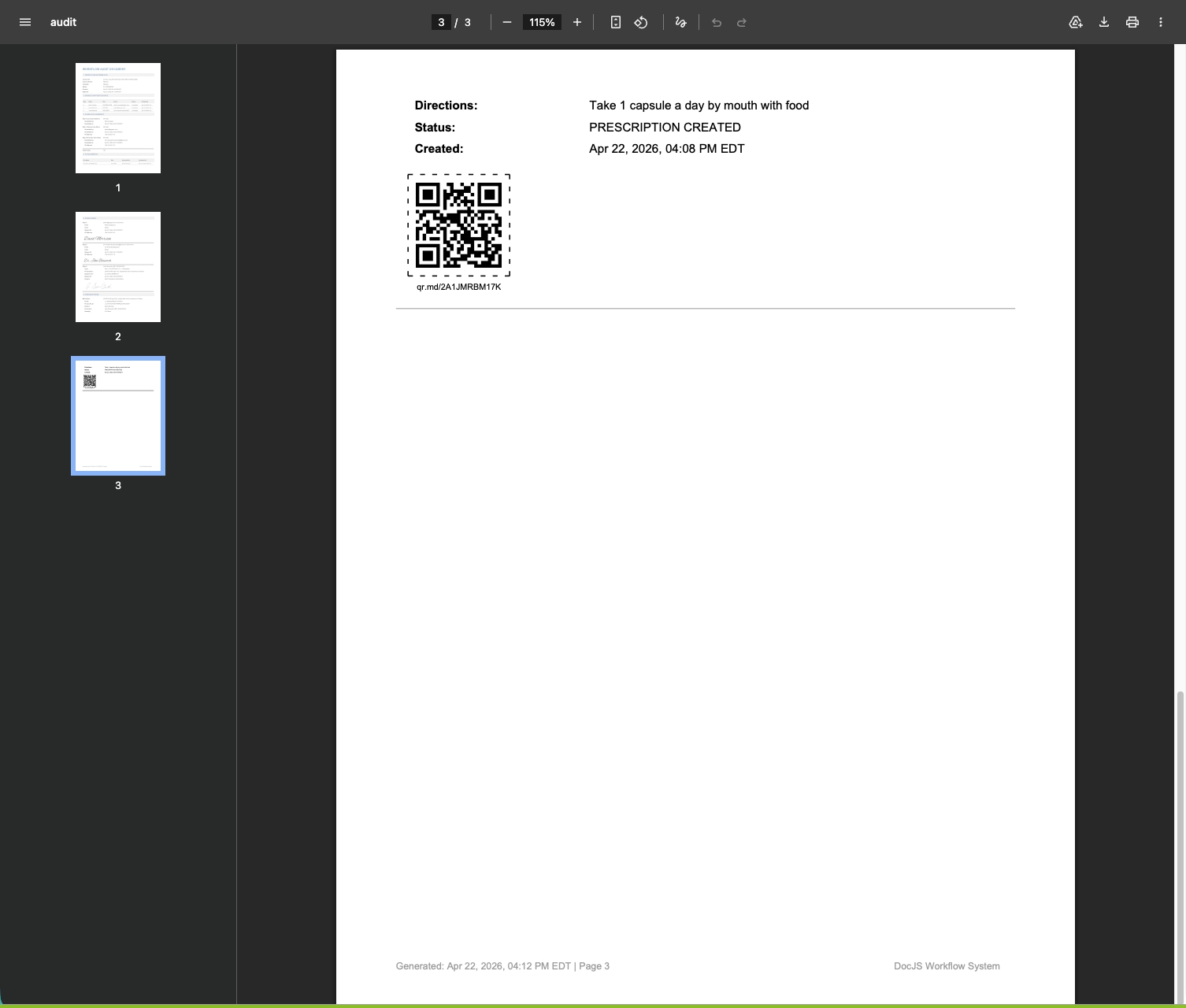
Each step of the enrollment workflow is visible in one view. Who filled out which section, who signed, when each handoff occurred, and which steps were complete. Think of it like a digital receipt, but for the entire multi-party enrollment process. This audit trail is accessible anytime through the QR code on the prescription seal.
Workflow Audit Document page 1: workflow info, participants, form data summary, attachmentsWorkflow Audit Document page 2: signatures section with patient and prescriber signaturesWorkflow Audit Document page 3: prescription receipt with QR codeWorkflow Audit Document detail: Part 11 prescription signature block highlighted
⌂ Home
After Submission
Documents and Attachments in Your System of Record
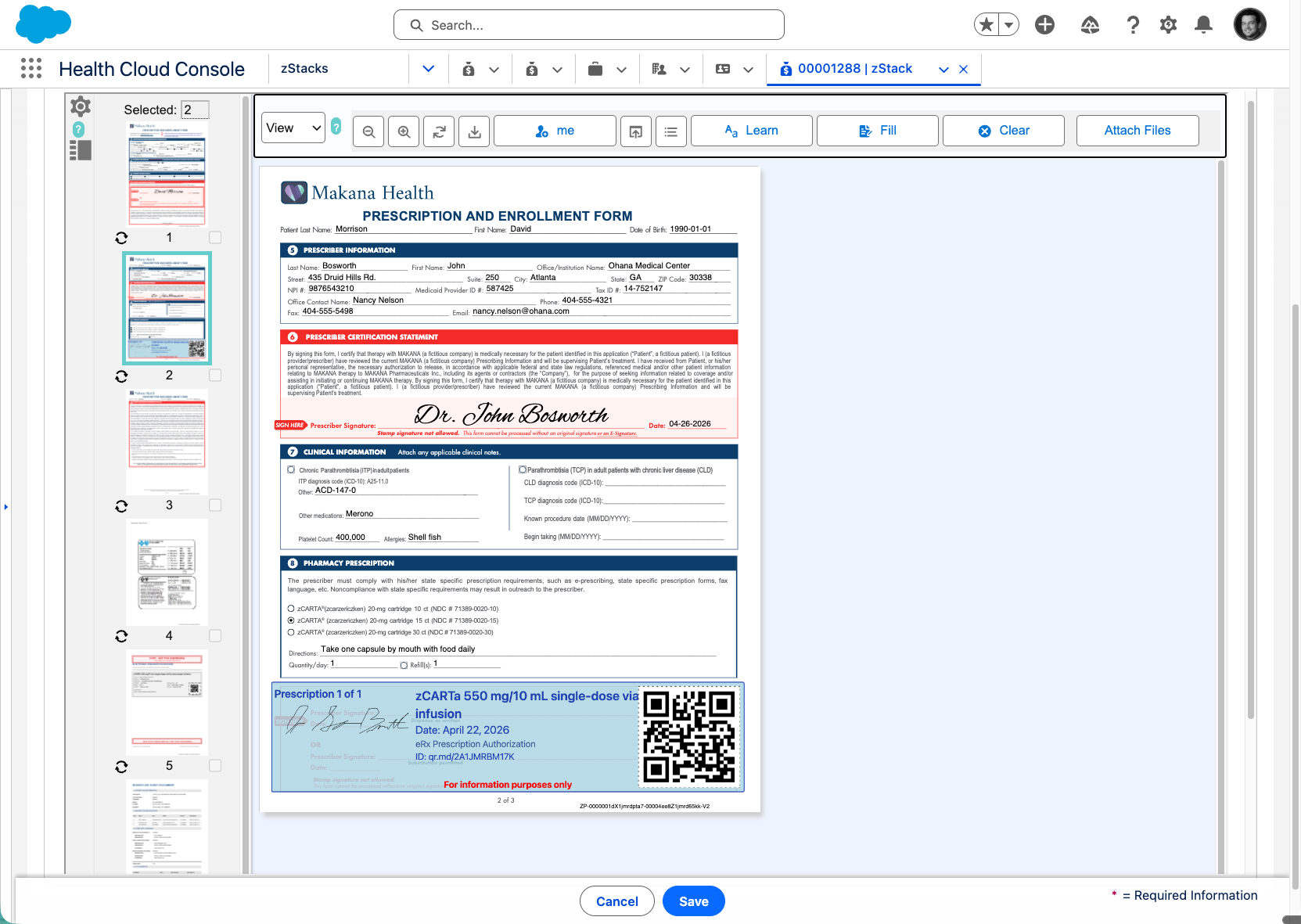
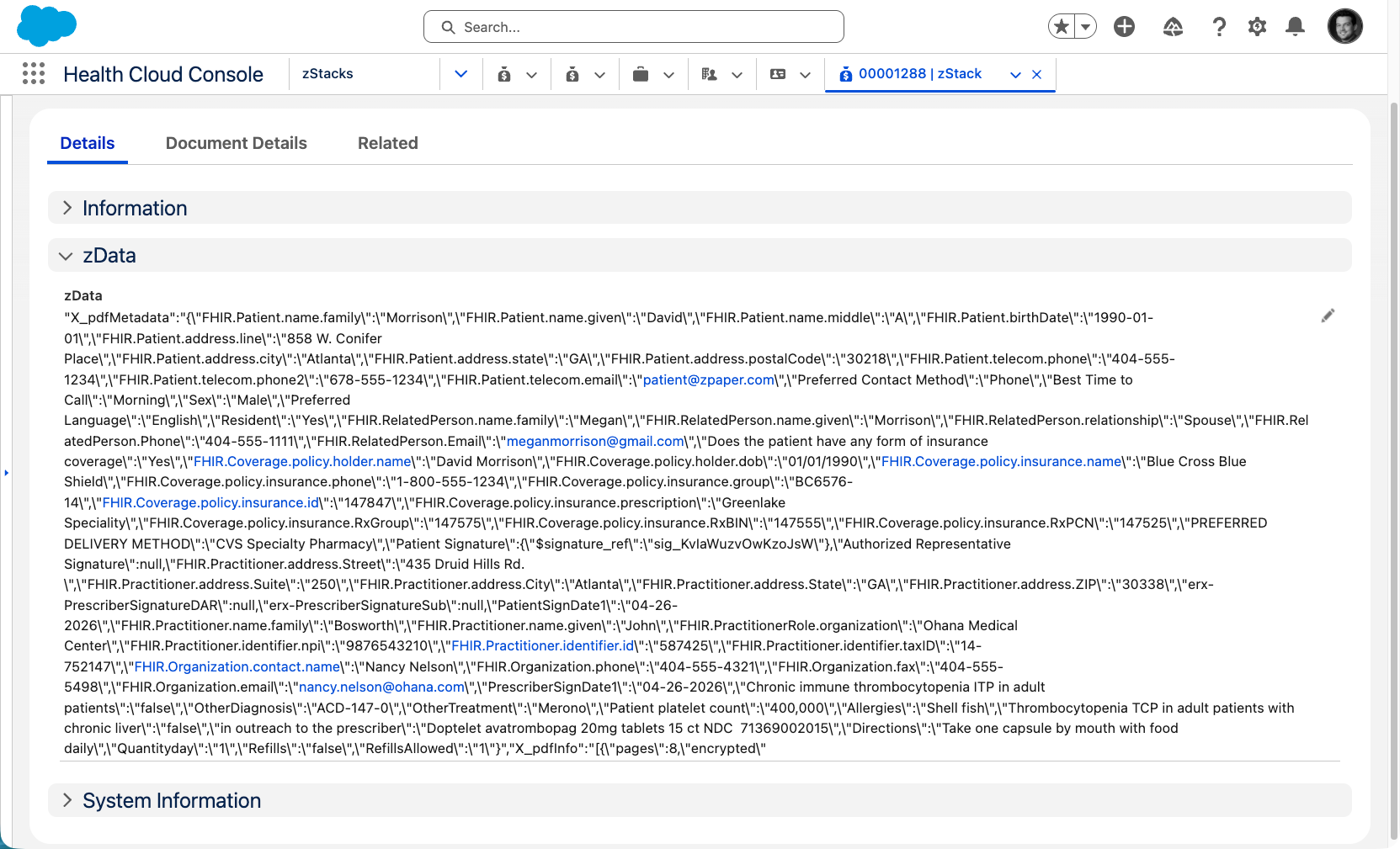
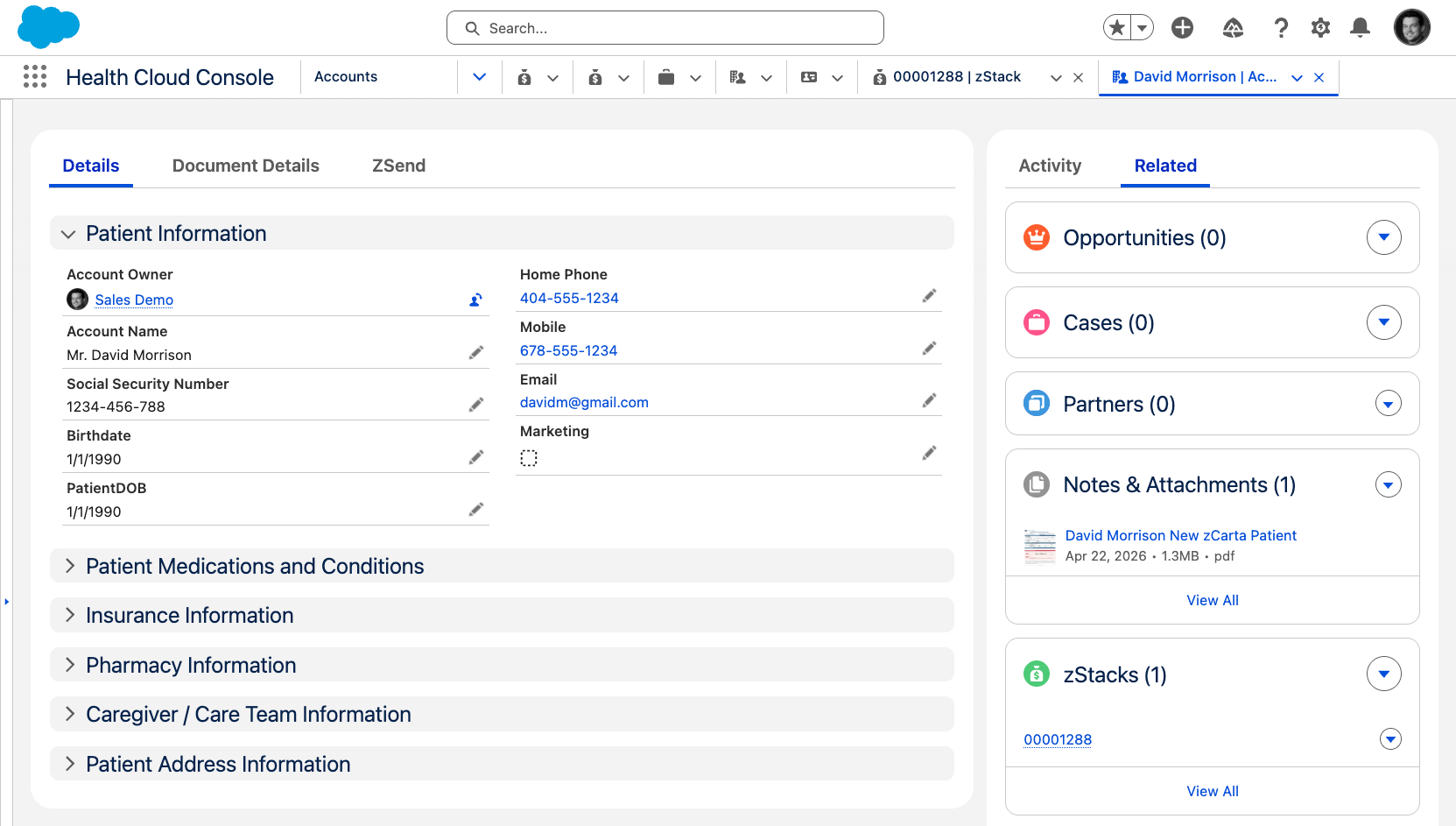
The submitted PEF pages, the insurance card, clinical notes, and any other attachments are delivered to the client's system of record. In this example, Salesforce receives the full document package as viewable attachments on the patient record. No manual uploads or scanning required. The documents arrive alongside the enrollment data, ready to reference.
Salesforce Health Cloud Console showing the enrollment form pages and attachments on the patient record
⌂ Home
After Submission
Structured Data With Mapped Fields
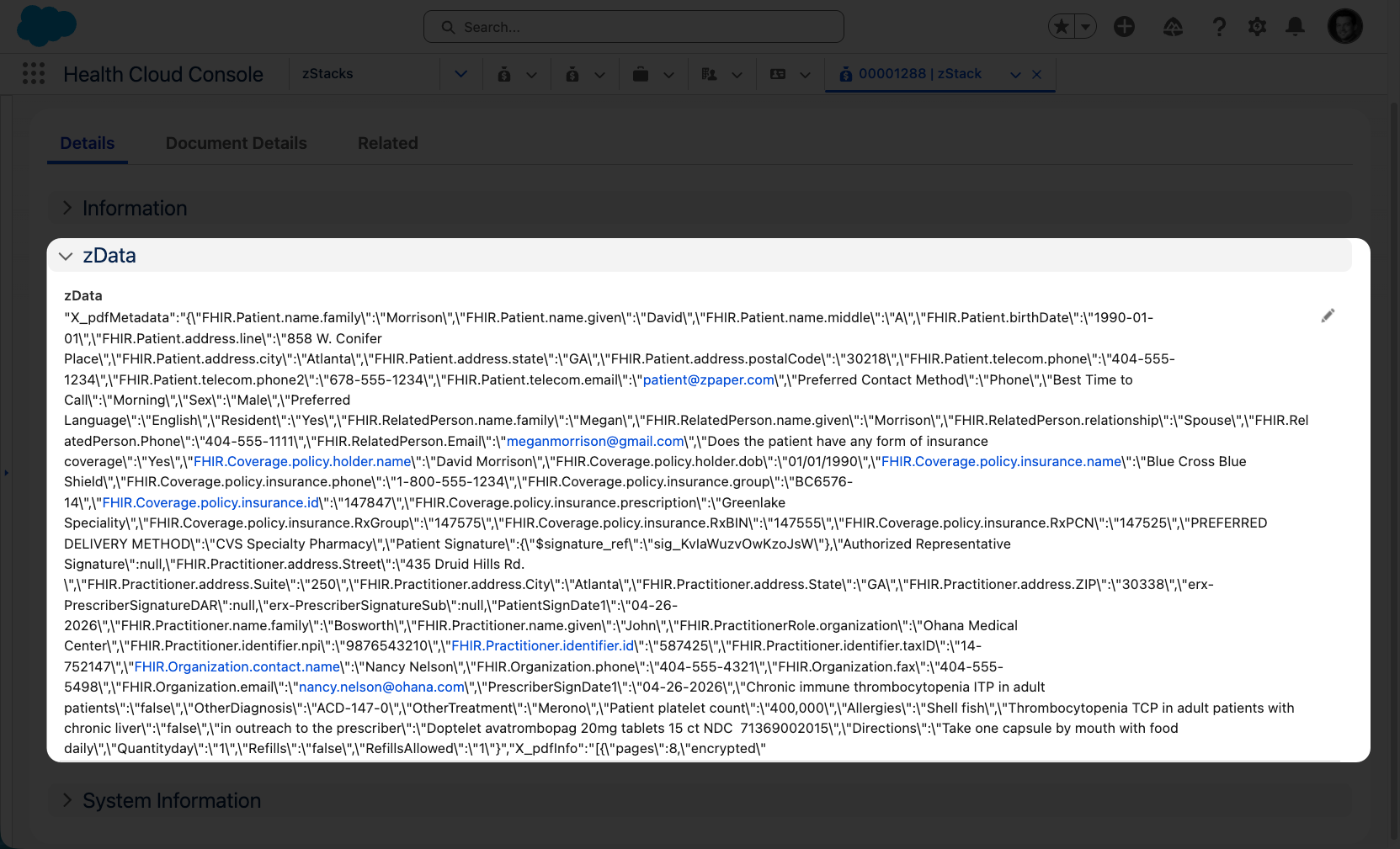
Beyond the documents, the actual data on the form can be mapped into the system of record or delivered as a data package. Patient name, date of birth, prescriber NPI, drug name, quantity, signature status, timestamps. Every field is structured metadata, not text pulled from a scanned image. Your team can build automations, trigger workflows, and route patients once the record is received.
Salesforce Health Cloud Console showing structured zData metadata mapped from the enrollment formSalesforce Health Cloud Console patient record for David Morrison with mapped fields and attached PDF
⌂ Home
After Submission
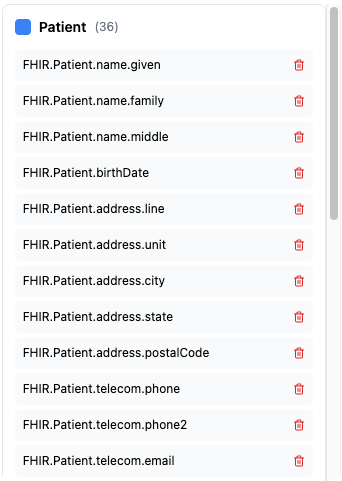
FHIR-Ready Data Output
FastPass starts with existing enrollment forms and transforms them into a structured, system-connected entry point. It enables data to be retrieved and received in coordination with covered entity workflows through the form itself, without requiring traditional system integration.

The enrollment data is mapped to FHIR-compatible fields based on the form data. This means the data captured during the enrollment workflow can be used for API-based integration with EHR systems, pharmacy platforms, and other FHIR-compatible healthcare infrastructure.
PEF Form Data
Patient Enrollment Form page 2 with prescription block highlighted
FHIR Field Map
FHIR Patient field mapping list
Salesforce zData
Salesforce Health Cloud Console with FHIR-mapped zData
⌂ Home
After Submission
Day 1. Not Day 14.
When the enrollment and the prescription arrive together, your team stops chasing and starts acting.
Valid ePrescription submitted to the pharmacy
Completed enrollment form as structured data and attached image
Copies to patient, med staff, and prescriber
Documents and data in your system of record
Full audit trail from clinical decision to submission
FHIR-ready for future integrations
Enrollment Landscape
Where do PSP enrollments
actually start?
Enrollment starts
where clinical decisions happen.
Not at intake. Not in a portal. At the moment of prescribing.
Seven Methods FastPass Improves
Today's patient enrollment forms travel seven different paths. Only one starts with the prescribing moment — all with structured data, no missing information, and a valid eRx attached.
01
FastPass
Prescribe-to-Enroll
02
eRx to Intake Pharmacy
Intake Pharmacy Model
03
eRx Platform
Vendor Platform Workflow
04
Manufacturer PSP Portal
Brand-Specific Portal
05
Hub / PSP Portal
Hub Portal Workflow
06
Split Fax
Dual-Destination Fax
07
Traditional Fax
Paper-Based Enrollment
Why FastPass wins Every other patient enrollment workflow starts separately from the Rx script creation. FastPass ensures pharma hubs receive a complete enrollment form from Day One — no missing information, all required attachments, a valid ePrescription, structured data, and verified prescriber identity, delivered directly into intake.
FastPass™  by zPaper
Prescribe-to-Enroll
When the prescription and
enrollment unify.
01
Day Zero Start
Enrollment carries a clinical timestamp at the moment of authenticated submission.
02
Zero Data Redo
Intake receives a structured eRx and enrollment package. Clean. Authenticated. Not rebuilt from a fax image.
03
Same PEF
No new platform. No SOP revision. No workflow redesign. The approved PEF remains the enrollment artifact.
Multiple Touchpoints.
One Complete Submission.
The PSP program doesn't run better. The enrollment starts better.
FastPass™  by zPaper
For the IT Leader
No new platform. No integration project.
Add a customizable link to your existing patient enrollment forms to access the digitized document.
That's it.
The Path to Go-Live
01
Scope & Design
Choose the pilot program. Review the approved PEF. Align on success metrics.
02
Configuration
zPaper configures the authenticated environment for your specific PEF.
03
Test Cycles
End-to-end testing with your intake team. Validate data flow into your CRM.
04
Pilot Go-Live
URL update. Live with the first real prescriber. Baseline measurement.
Same PEF. Same SOPs. Same workflow.
A familiar prescriber experience.
FastPass™  by zPaper
Booth #1916 · Wynn Las Vegas
See how FastPass™ can help your PSP forms accelerate access to therapy.
QR code to AXS26 event landing page
Scan to schedule a demo Booth #1916
FastPass™  by zPaper  ·  go.zpaper.com/asembia-axs26